8-Gravel
November 25, 2025
Solved

CREO cabling: Can you re-organize the order of each wire in a flat grouping at a location?

  • November 25, 2025
  • 1 reply
  • 386 views

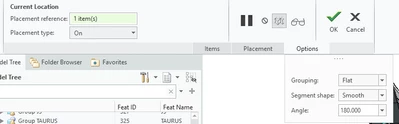
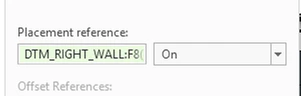
In CREO cabling I have 8 cables going to one location in a flat grouping.
Is there any way to re-organize the order of each wire in a flat grouping at a location?   

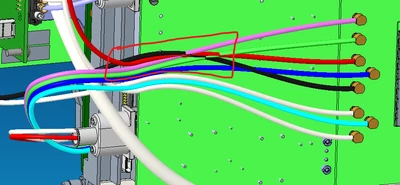
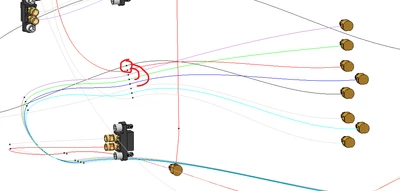
For example, in the images below I would like the red and black wire to stay in the same order as they come on the right.
The final result I'm looking for is pink on top, then green, red, blue, black, white, light blue, white.

This would be accomplished by moving red down 2 spots and black down 4 spots in the flat group.  

Then it wouldn't look like all the wires are crossing over each other.


Using CREO 8.0.0.0 on Windows 11.
GB_10534440_0-1764079299633.png

GB_10534440_1-1764079362195.png

GB_10534440_2-1764079408549.png

GB_10534440_3-1764079425134.png


Best answer by ArnoldCollett

To the best of my memory, it should be under the Locations > Packing menu. Then select the desired cable and move it up or down the list of cables at that location.

1 reply

12-Amethyst
November 26, 2025

To the best of my memory, it should be under the Locations > Packing menu. Then select the desired cable and move it up or down the list of cables at that location.

8-Gravel
November 26, 2025

Thank you, that worked. I could not find the proper search term for 'packing'.  Some more info here: Modifying Locations


GB_10534440_1-1764181609737.png


GB_10534440_0-1764181606848.png