Yogesh.T
Yogesh.TAnswer
14-Alexandrite
April 3, 2025

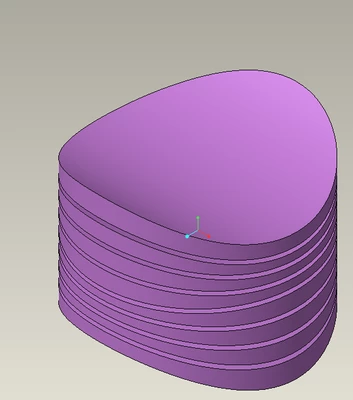
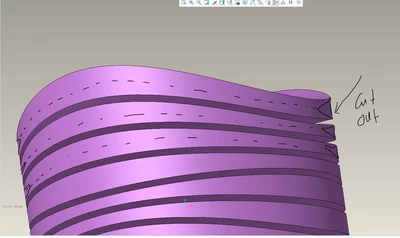
Create curve, use edge - Sweep cut with triangle sketch. 

Yogesh

6 replies

Yogesh.T
Yogesh.T14-AlexandriteAnswer
14-Alexandrite
April 3, 2025

Create curve, use edge - Sweep cut with triangle sketch. 

Translate
Yogesh
Dale_Rosema
23-Emerald IV
April 3, 2025

Does the cut have to remain centered on the varying thickness?

Translate
pobsd13-AquamarineAuthor
13-Aquamarine
April 3, 2025

Hi Dale, Yes, that needs to be centered on the varying thickness.

Translate
kdirth
21-Topaz I
April 3, 2025

Use sweep with two trajectories.

Select on edge and hold Ctrl to select the second edge.

There will be two points when you start the sketch, attach triangle vertices to each one and constrain the third as needed.

kdirth_0-1743692645843.png


Translate
There is always more to learn.
Community Moderator
April 10, 2025

Hello @pobsd, 


It looks like you have some responses from our community members. If any of these replies helped you solve your question please mark the appropriate reply as the Accepted Solution. 

Of course, if you have more to share on your issue, please let the Community know so other community members can continue to help you.

Thanks,
Vivek N.
Community Moderation Team.

Translate
Yogesh.T
14-Alexandrite
April 3, 2025

If the depth is uniform use two trajectories by use edge, create a triangle that two corners are constrainer to two trajectories respectively as long as triangle height (Groove depth) is uniform. If not it becomes more complex by need to add a thirs trajectory. Try it out. see image attached. Hope that helps with some trials and final hit....

Translate
Yogesh