


Creo Parametric 3.0 Issue That Visually Displaces Fasteners
Hi,
I am having an issue where an assembly that is fully constrained now produces a graphical issues that shows every nut, washer and screw as though it is under-constrained. The constraints are still present and creo thinks they are in the correct physical location but visually, they are not. For example, if I were to select any of the imaged bolts below, I would have to move the cursor to the location where the head should be (butted up to the washer) and if I tried to select it from what I see, nothing would happen.
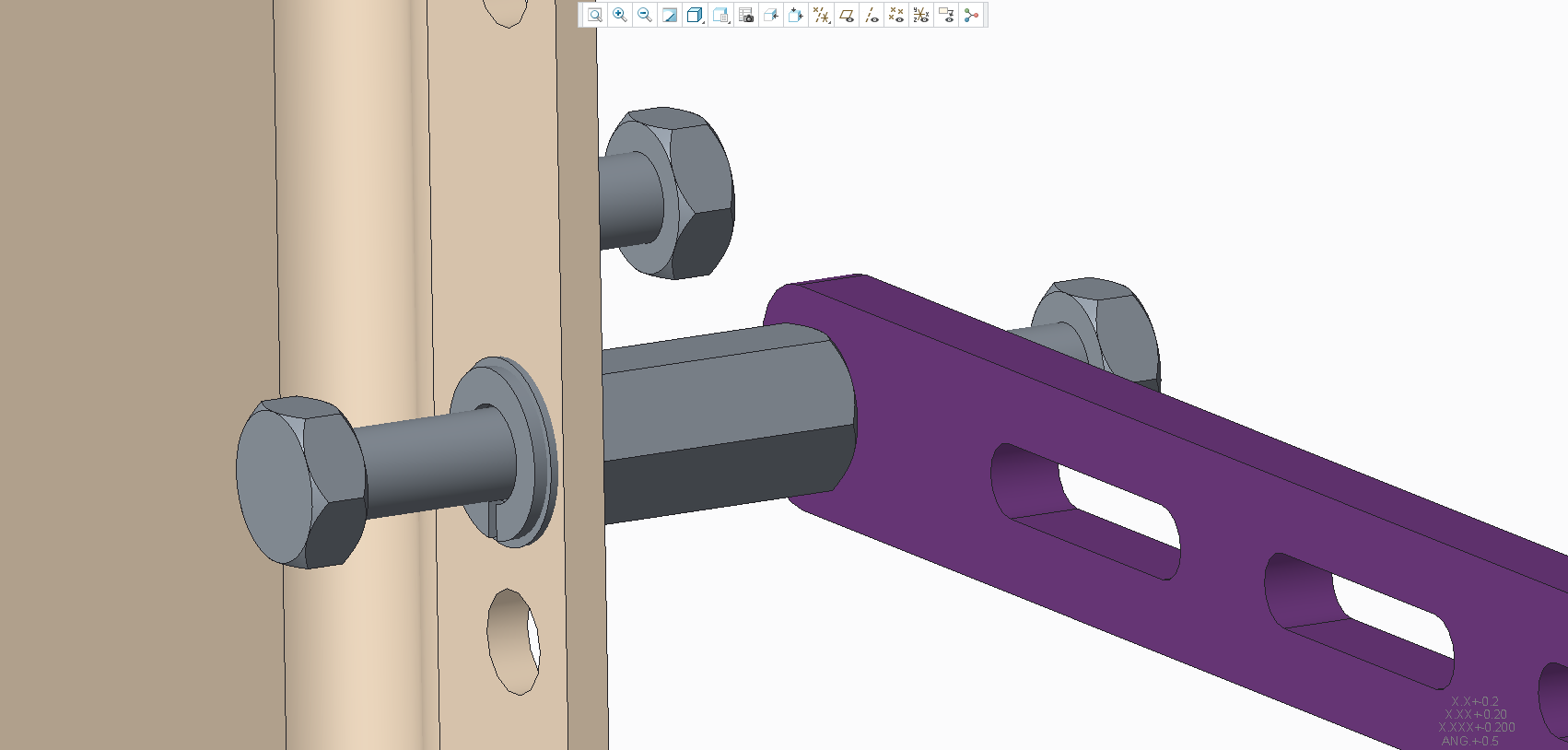
I have tried regenerating, repainting and it is an issue that has remained over multiple days, so the classic 'off-and-on again' hasn't solved it.
If anyone could provide insight, I would be truly grateful because this is a large assembly and I don't fancy having to re-constrain everything again!
Running Creo 3.0 and Windchill on a Windows 7 Desktop.
Thanks in advance!
Nick,
Running Creo 3.0 and Windchill on a Windows 7 Desktop.