
7-Bedrock
March 18, 2023
Solved

Creo Parametric 9.0 Freezes due to a "REGENERATION PROGRESS" window overlay

  • March 18, 2023
  • 1 reply
  • 4078 views
This occurs when clicking "OK"  or deleting datum planes,  the Regeneration Progress window overlays Creo and wont let me continue. 
Solution is still to end it all through task manager and deal with the file loss. 
I don't want to run into this problem in the future when I'm working on something much more time consuming, does anyone know of a solution?
Thank you for looking into this for me.
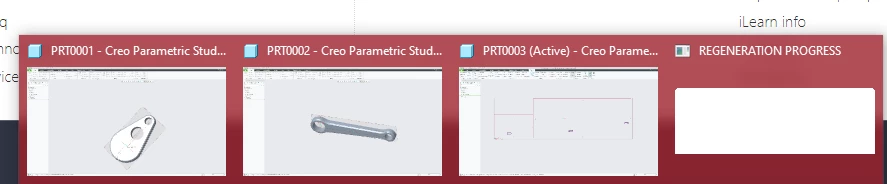
image.png


Best answer by YT_10606041
The solution was to update my NVIDIA GPU drivers (Which were only 3 months old). After that and a fresh install of creo it seemed to be work fine.

PC hardware: AMD 5800X, 32GB memory, NVIDIA RTX 3080 and Creo loaded on an SSD

1 reply

Chris3
21-Topaz I
April 26, 2023

First thought is maybe you aren't using a PC that has been certified to work with Creo Parametric? You can review the hardware requirements here:

https://www.ptc.com/support/-/media/support/refdocs/Creo_Parametric/9,-d-,0/creo9_hardware_notes.pdf?sc_lang=en&source=search 

YT_106060417-BedrockAuthorAnswer
7-Bedrock
April 26, 2023
The solution was to update my NVIDIA GPU drivers (Which were only 3 months old). After that and a fresh install of creo it seemed to be work fine.

PC hardware: AMD 5800X, 32GB memory, NVIDIA RTX 3080 and Creo loaded on an SSD

Chris3
21-Topaz I
April 26, 2023

Can you mark your answer as the solution for future people who find this thread?