
3-Newcomer
September 19, 2025
Solved

Creo Schematics: Fiber width change does not take effect

  • September 19, 2025
  • 1 reply
  • 792 views

Hello, 

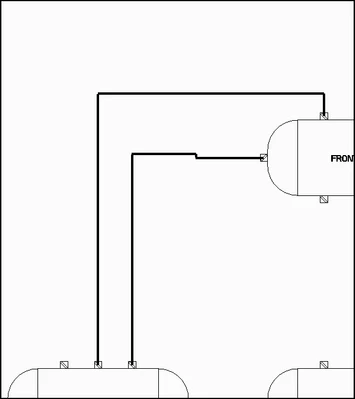
I am unable to change the width of a fiber shape. No matter what value of "width" I put in for shape properties of that fiber, the width remains the same on the diagram. 

Any help would be appreciated!

Example: One of the fibers here has a width of "10" and the other had a width of "1" but it does not change the appearance
RP_13046005_0-1758296080438.png


Best answer by Gaby_K

Hi , 

while it is some how confusing , Width and Pitch setting for fibers as applicable only for decorative line type (i,e: Scroll, Triangles and so on) ; 

for plain lines (i.e Solid, Dashed long/Short and so on) you can select from the line type 3 pre-defined thiknesses : Thin/Medium/Thick (i,e, Solid Thin , Solid Medium and Solid Thick.) 

1 reply

Gaby_K12-AmethystAnswer
12-Amethyst
September 21, 2025

Hi , 

while it is some how confusing , Width and Pitch setting for fibers as applicable only for decorative line type (i,e: Scroll, Triangles and so on) ; 

for plain lines (i.e Solid, Dashed long/Short and so on) you can select from the line type 3 pre-defined thiknesses : Thin/Medium/Thick (i,e, Solid Thin , Solid Medium and Solid Thick.) 

3-Newcomer
September 22, 2025

Solved!  Thank you, I appreciate your response, that was not intuitive. I am using the Thick_Center line to achieve custom thicknesses on a simple line font.