

12-Amethyst
May 22, 2019
Solved

Creo View Express 5.0 has screen problems

  • May 22, 2019
  • 2 replies
  • 2840 views

Hi Guys,

I'm not sure if this topic is in the correct category, but we are having some problem with the free Creo View Express 5.0 software.
We have installed 5 NUC’s (box pc’s) with Intel Iris Plus Graphics 650 . And we have updated the driver for this graphic card.
The 5 NUC’s are having exactly the same problem. When we open a PVZ-file (assembly) and we hoover over some parts, the screen starts being “blocked”.

When zooming and rotating the assembly there is no problem at all. This works really good. We had some worse experiences for zooming and rotating with pc’s with lower specs, but we haven’t got this problem with the “blocks”.
Does anybody know what to do with this? I’ve tried to install Creo View Express 4.0 (an older version), but this won’t help either.

Here you can see some screenshots.
This is how the assembly looks like when opening it:
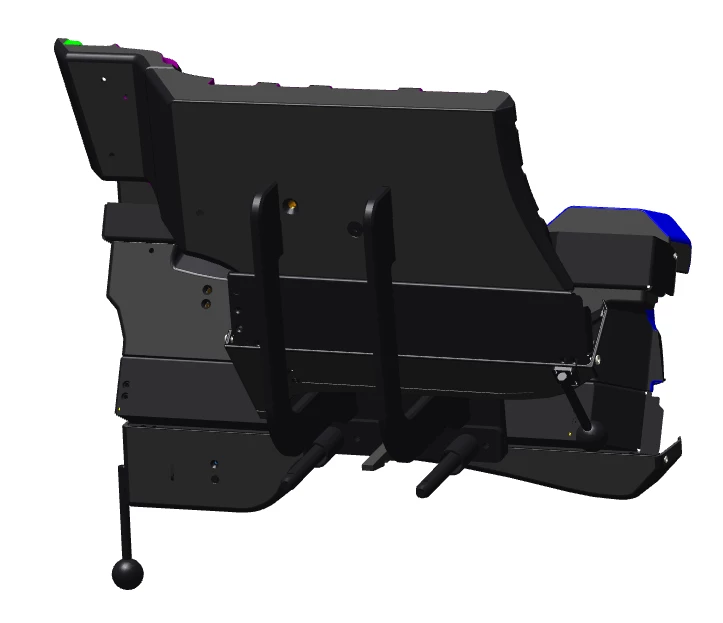
2019-05-21 17_03_42-Window.png

This is how the assembly looks like when hoovering over the parts:
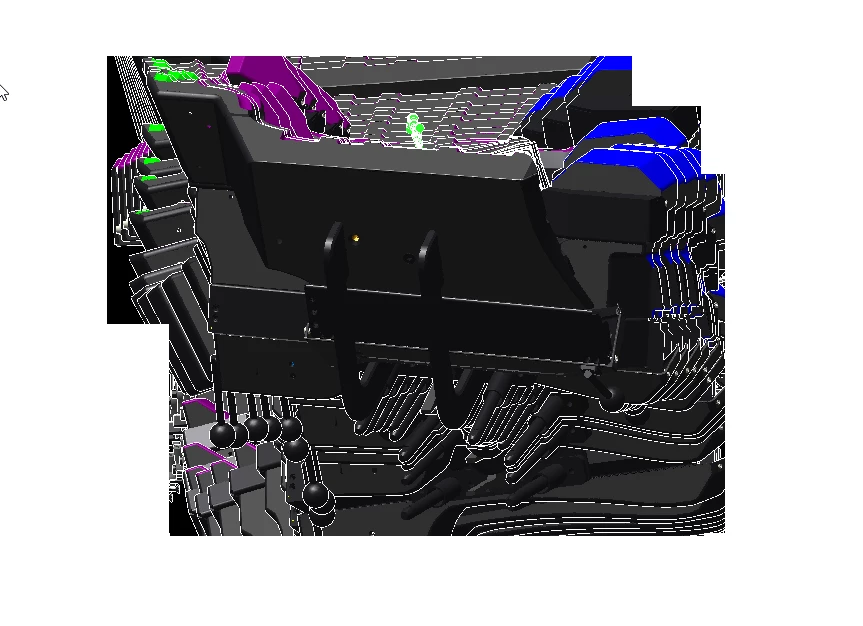
2019-05-21 17_03_16-Window.png

Best answer by troberts

Try these OpenGL related Creoview environment variables

    • System Environment Variables using the Control Panel > System > Advanced System Settings utility:
  PV_DISABLE_PBUFFER=true
  PV_DISABLE_MULTISAMPLE=true
  PV_DISABLE_SHADOW=true
  PV_DISABLE_MULTI_DRAW_ARRAYS=true
  PV_DISABLE_FRAMEBUFFER_OBJECT=true
 PV_DISABLE_VERTEX_BUFFER_OBJECT=true

2 replies

troberts12-AmethystAnswer
12-Amethyst
September 6, 2019

Try these OpenGL related Creoview environment variables

    • System Environment Variables using the Control Panel > System > Advanced System Settings utility:
  PV_DISABLE_PBUFFER=true
  PV_DISABLE_MULTISAMPLE=true
  PV_DISABLE_SHADOW=true
  PV_DISABLE_MULTI_DRAW_ARRAYS=true
  PV_DISABLE_FRAMEBUFFER_OBJECT=true
 PV_DISABLE_VERTEX_BUFFER_OBJECT=true

12-Amethyst
September 9, 2019

Thanks, this solves the problem!