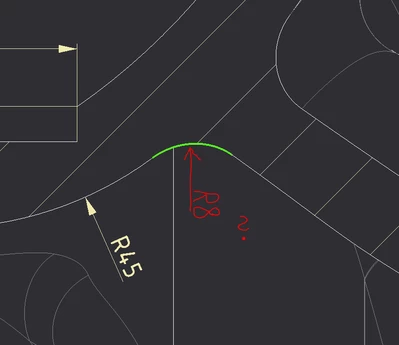
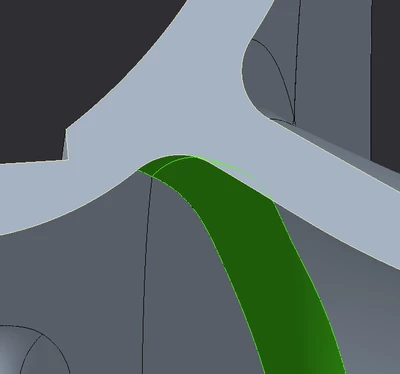
Creo10 drawing: cross section radius annotation of a ''round''
Hello,
I have a cross section of a radial pump rotor with radiuses which I want to annotate the standard way with arrow and ''R8'' written for radius of 8 mm.
I can do that to other curvatures, but not to to the surfaces made by feature ''round'' that are made on vane endings.
I tried with ''show model annotations'' but there I can find these annotations being scattered elswhere to unwanted positions. Can not move them to cross section by ''edit attachment''. Whenever I click the curve that represents cross section of a round to insert ''dimension'' nothing happens- no dimension is written and no arrow shown. Same happens for any other similarly created rounds in this cross section.
Despite round being defined as round of 8 mm, I can not measure it with ''measure'' tool. What is the way to annotate such rounds on cross sections while keeping them dependant on radius defined in ''round'' feature?
Best regards!