
5-Regular Member
February 14, 2024
Question

CSYS_MM_PART_DEF Issue

  • February 14, 2024
  • 1 reply
  • 1978 views

Hello,

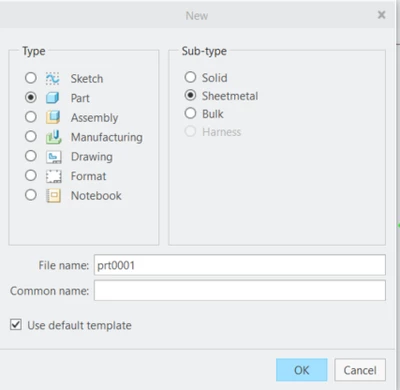
I made a part using Creo's Sheet metal with image below.
FY_10378206_0-1707934126357.png

When I create an STL file and send it to our 3D printer, it makes it under millimeter only. Typically, it always ask if i want to convert to inches. When i load it into the 3D printer, it comes out super tiny and small. the problem here isn't the 3D printer, but the part itself.

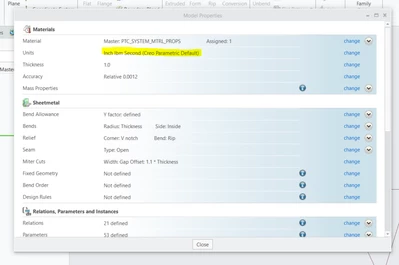
Even though i change the properties to inches/lbm/seconds. it still causes the same issue 
FY_10378206_1-1707934352093.png

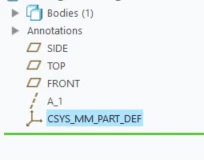
I have a big feeling it has something to do with this axis below causing this issue:
FY_10378206_2-1707934380303.png


If i build it from a solid model, it doesn't have this issue. I need to build this part under sheet metal, because it will become a sheet metal.

Please help.

thank you PTC community

1 reply

24-Ruby III
February 15, 2024

Hi,

my suggestion:

  • open original model, which has set mm as lenght units
  • measure some distance in the model, for example length of some edge
  • convert length units to inch

MartinHanak_0-1707988568241.png

  • measure the same distance
  • compare two measurements ... what is the result ?
5-Regular Member
February 15, 2024

Hello,

I've came to realize it maybe be the template that's setup; I am unsure. when changed also, it doesn't allow it. its only when i create in sheet metal. I am clueless as of now.

tbraxton
22-Sapphire II
February 15, 2024

Post a test model here for review. There are many things that might cause the issue you are describing. If you are not able to post a model here, then open a case with PTC support.