

Dale_Rosema
23-Emerald IV
August 16, 2013
Solved

Datum Point or Plane from sketch

I currently have a couple of construction circles on a sketch and I would like to make the intersection of two contruction circles a datum point. Is this possible? It seems to not recognize this point.
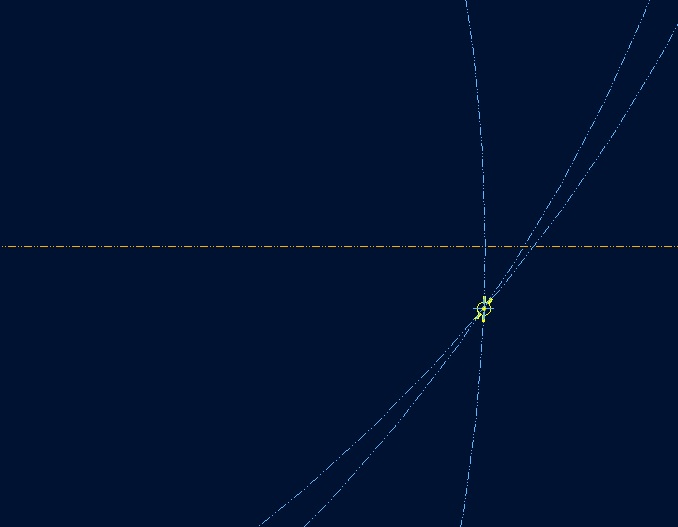
datum_point.jpg


This thread is inactive and closed by the PTC Community Management Team. If you would like to provide a reply and re-open this thread, please notify the moderator and reference the thread. You may also use "Start a topic" button to ask a new question. Please be sure to include what version of the PTC product you are using so another community member knowledgeable about your version may be able to assist.
Dale_Rosema
23-Emerald IV
August 16, 2013

After I exited the sketch, I was able to create a datum axis from the portion of the curve I made in the sketch from the center point shown.

2 replies

Dale_Rosema
Dale_Rosema23-Emerald IVAuthorAnswer
23-Emerald IV
August 16, 2013

After I exited the sketch, I was able to create a datum axis from the portion of the curve I made in the sketch from the center point shown.

Translate
17-Peridot
August 16, 2013

You are still on WF5, right?

In Creo, you can add a datum point in a sketch. If it remains a sketch, that point will be available as a reference feature for later use. If the sketch is a section, and extruded, the point will become an axis. Similarly, if you add a datum style centerline in the sketch, you also get a datum axis as a reference.

I find this to be a very useful feature... Except I would like the point to remain a point on extrusions. Simple enough to add one, but its current behavior or somewhat useless.

Translate