1-Visitor
September 26, 2017
Solved

Dimensioning a rectangular hole pattern

  • September 26, 2017
  • 1 reply
  • 3768 views

Hello,

I am teaching an entry level freshman college class using Creo 3.0.

I was teaching the pattern option for a simple plate and a 4 hole bolt pattern using the direction option in the patterning command.

I discovered that the dimensions between holes will not display on the drawing using "Show Model Annotations".

I changed the pattern option to dimension and this worked.

Am I missing something or is this usual for Creo? I'm at 4.0 M020.

In my previous life, I never got to make simple hole patterns.


Thank you,

Jay Crook.

 

Best answer by StephenW

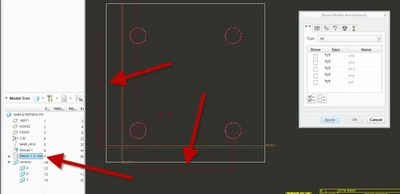
They changed the way dimensions show in Creo 3. To get the pattern dimensions to show up, you have to select the pattern itself (not the hole) when in the show model annotations.


simple.jpg

1 reply

StephenW23-Emerald IIIAnswer
23-Emerald III
September 26, 2017

They changed the way dimensions show in Creo 3. To get the pattern dimensions to show up, you have to select the pattern itself (not the hole) when in the show model annotations.


simple.jpg

jcrook1-VisitorAuthor
1-Visitor
September 28, 2017

Hi Stephen,

Thank you. I was able to duplicate your instructions.

I will be able to relay this info to my class.


Thanks Again,

Jay Crook.


23-Emerald III
September 28, 2017

Glad I could help.