
8-Gravel
August 19, 2025
Question

Dimensions background

  • August 19, 2025
  • 6 replies
  • 868 views

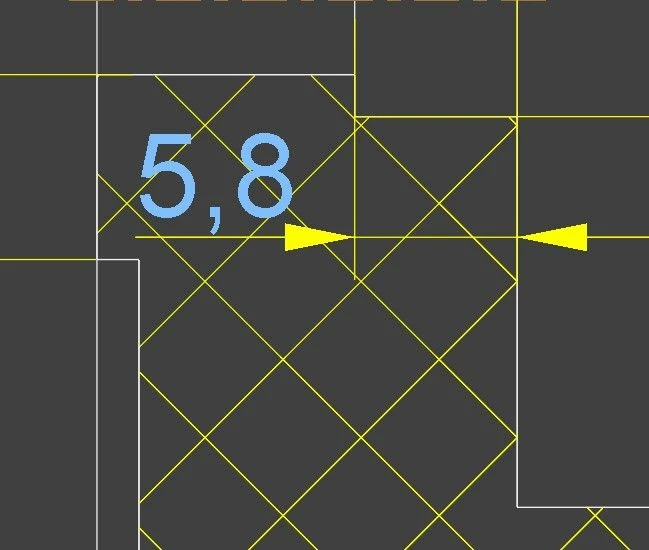
Hello, I'm having a problem with the dimension background. I want the hatch background to cover the hatch. Unfortunately, this can't be set, and the hatching under the dimension is still visible. I'm working in Creo 10.
tło.jpg

6 replies

Van_AG
15-Moonstone
August 19, 2025

there is dtl-option def_xhatch_break_around_text

set the option to yes


to do this

go in a drawing to File > Prepare > Drawing Properties > Detail Options

or edit your dtl-file in 3rd party text editor

the active dtl-file defined by the config file option drawing_setup_file


24-Ruby III
August 19, 2025

Addition:

Also def_xhatch_break_margin_size drawing option can be set.

11-Garnet
July 22, 2026

If the dimensions were added before you change the Drawing Properties > Detail Options; you have to manually override them: select the dimension(s), click the Format tab, then checkbox yes to the Break Hatching (under Operations group).