1-Visitor
February 8, 2022
Question

DOT line style appears as a straight line on the screen

  • February 8, 2022
  • 1 reply
  • 2975 views

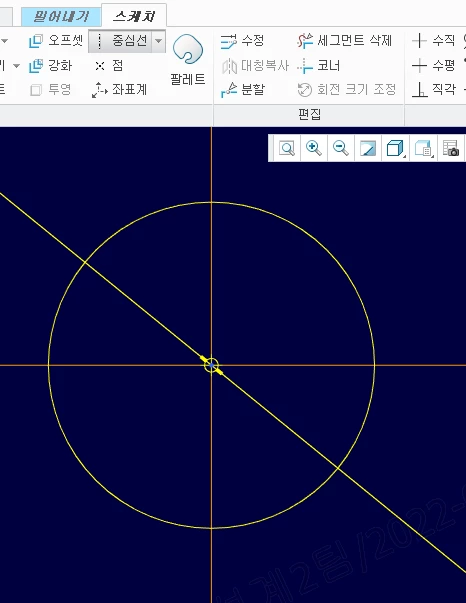
All dot lines (center line, axis, dotted line, etc.) appear as solid lines.

I reinstalled and overwritten the config file and setup file with the existing ones.

Before re-installation, it appeared as a dotted line properly.
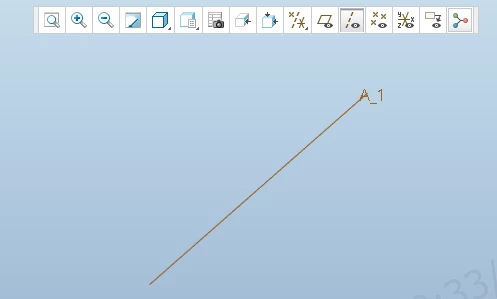
axis.pngcenter_line.png

1 reply

21-Topaz I
February 8, 2022

Hello @BK_8551144 


Seems to occur in 3D Mode as per your snapshot ('Part and Sketcher environment). May this be due to Units configured - eventually different from the units you have the habit to work on?

  • This can be checked under >File >Prepare >Model Properties >Uints
  • If units are different than the usual ones, and if this occurs fo new parts, the object where template_solidpart points to is maybe improperly reconfigured or missing?


Regards,


Serge

1-Visitor
February 8, 2022

Thanks for answer.

The unit is using a normal mmKs unit.

The same phenomenon appears not only for new parts but also for existing 3d/2d models.

When I run the same file on a colleague's computer, it appears as a normal dotted line.

It only appears as a solid line on my computer.

units.png

1-Visitor
February 9, 2022

And also the path and file of template_solidpart are not missing either.


solidpart.png