
5-Regular Member
August 11, 2020
Question

Drawing

  • August 11, 2020
  • 1 reply
  • 1356 views
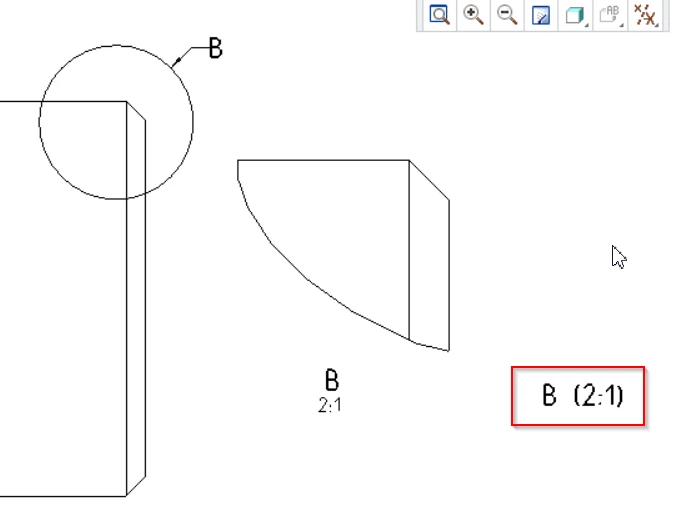
How can I change the scale information in a detailed view so that it conforms to ISO 128-34? E.g. B 2: 1
the Norm says B (2: 1) is the same size.
where and how can I set this up for the users in Creo2 M240? (config.pro or din.dtl)
 

2020-08-11 09_02_11-Maßstab-din_iso_128-34.png

1 reply

Mahesh_Sharma
22-Sapphire I
August 11, 2020

@ckopplin


You may try drawing option view_scale_format to ratio_colon_normalized and view_note to std_iso

24-Ruby III
August 12, 2020

@Mahesh_Sharma wrote:

@ckopplin


You may try drawing option view_scale_format to ratio_colon_normalized and view_note to std_iso


I tested these two detail options in CR7. They work as expected for newly created detailed views.

I do not have CR2 installed, therefore I can't verify whether detail options work well in CR2, too.