4-Participant
December 21, 2023
Solved

Drawing background color

  • December 21, 2023
  • 2 replies
  • 3026 views

I have my background color set to black.  Within the background color setting I have enabled gradient which is set to an off-white color gradient in modelspace.


This combination gives me a gradient background in model space and a black background in sketcher.  This is exactly as I want it.


I would like my drawings to come up in an off-white color.  The drawing color currently follows the black background setting.

Is there a way set a drawing background color independent of the model space background color and the sketcher background color?

Thank you!

Best answer by Chris3

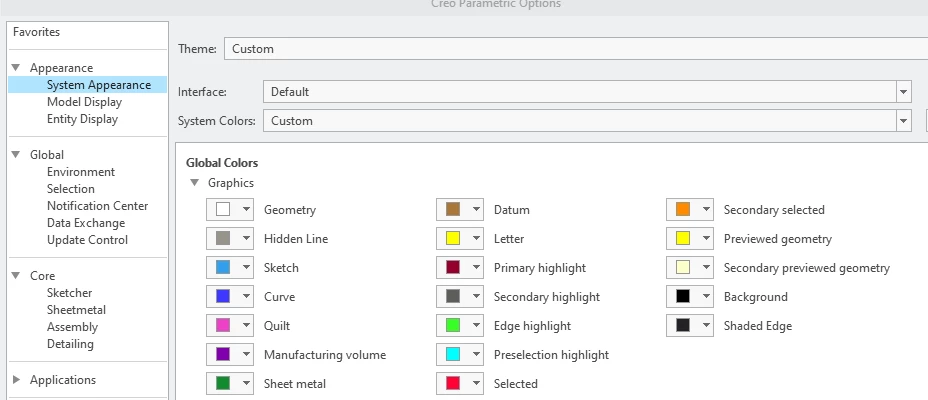
I checked and there is no separate drawing background setting in Creo 9. We have mapkeys that change the color scheme. You could do the same.


Capture.PNG

2 replies

15-Moonstone
December 22, 2023

I just tried it on a CREO 4 installation and setting the system appearances, global, graphics, background to another colour changed the sketcher as well so it looks like the answer is no. Whether later versions are different I don't know.

Chris3
Chris321-Topaz IAnswer
21-Topaz I
December 22, 2023

I checked and there is no separate drawing background setting in Creo 9. We have mapkeys that change the color scheme. You could do the same.


Capture.PNG