1-Visitor
December 16, 2013
Solved

Drawing dimensions colour Change

  • December 16, 2013
  • 3 replies
  • 18769 views

Capture.PNG

Hi folks,

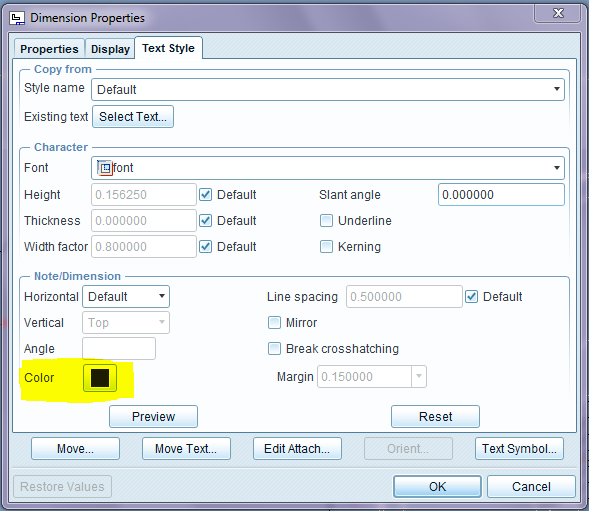
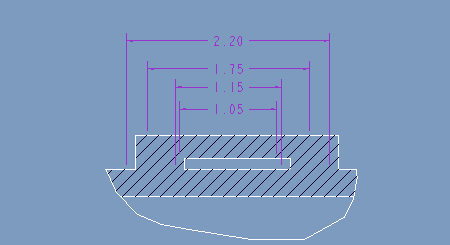
Can we change this dimensions colors?

Best answer by AraviK1

Capture.PNG

3 replies

AraviK11-VisitorAuthorAnswer
1-Visitor
December 16, 2013

Capture.PNG

AraviK11-VisitorAuthor
1-Visitor
December 16, 2013

I am trying to change color here. But not changing 😞

1-Visitor
December 16, 2013

The color is the same as that given created dimensions that have lost references.

If references are missing (there should have been a message that said references are missing): Select one and then right click - edit attachment and pick suitable replacements for the missing references.

AraviK11-VisitorAuthor
1-Visitor
December 17, 2013

Yes David, You are right. I agrre with you.

But if any case is there any chance to change that color or not?

sometimes its usefull to me.

AraviK

1-Visitor
September 5, 2019

In the System Appearance Menu -> Global Colors -> Graphics -> Change the "Manufacturing Volume" color.

Yes, I agree, cuz that makes sense?!?

1-Visitor
February 18, 2020

That is daft.

The entity descriptions are so cryptic!

Thanks for helping, I needed to change color of failed dims because I am color retarded.