15-Moonstone
Jun 20, 2013 11:59 PM UTC
Question

dread the measure tool in creo 2.0!

i totally hate the new measure tool in creo 2.0. later in the day i will update this discussion with some jpegs from creo 2.0 and also compare it with one in wildfire 5.0....
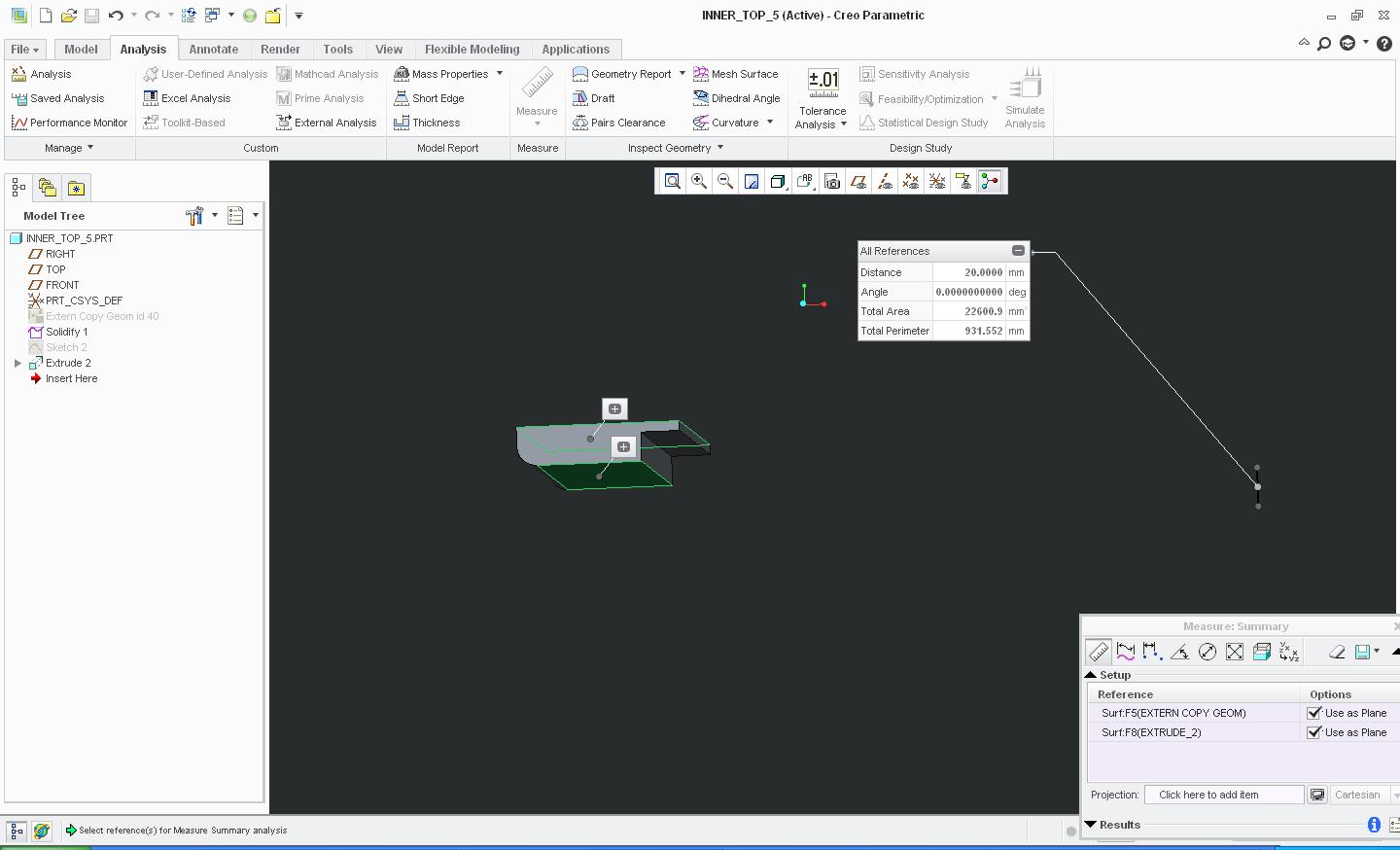

measure distance in creo..JPG

    5 replies

    21-Topaz II
    Jun 21, 2013 12:25 PM UTC

    Really? The only things I don't like are that it's closed when first used, which makes no sense, and I miss the pick a 'source' item and then being able to pick many targets, one after another.

    But, being able to pick two items and see a whole range of information - area, length, angle, distance - is wonderful. One of the best enhancements in years, in my opinion.

    Translate
    15-Moonstone
    Jun 21, 2013 2:13 PM UTC

    please see the image i have uploaded...where i am measuring and where is it showing that measurement....actually that measurement window was totally out of viewable range..before i brought that in.

    then again we have to press control to select more than one entity...

    previously upto wildfire 5....when coordinate system was selected as reference...dimensions for x,y,z axis had a reference line attached..which made it very easy to see those dimensions..now that has disappeared....

    Translate
    17-Peridot
    Jun 21, 2013 3:11 PM UTC

    I agree that the XYZ values should be easier to show if not always available from the default CS where you still had the option to select another CS.

    There really is no intuitive way to know you need to select a CS to get the XYZ deltas.

    And the dialog really should either self-cancel, or be allowed to remain when you select a new command. How often have you forgotten to close the measure dialog when you clicked another command? This is one process that could easily be handed off to a second processor and remain dynamically linked.

    Translate