
1-Visitor
June 29, 2010
Question

empty volume calculation in an assembly

  • June 29, 2010
  • 2 replies
  • 7028 views

Hello Everybody

I'm looking for the calculation of the empty volume in an assembly , this volume will the the quantity of oil I need

If you have the good way of doing , please can you explain me

I'm working with Wildfire 4

Thanks a lots

Olivierassemblage1.jpg
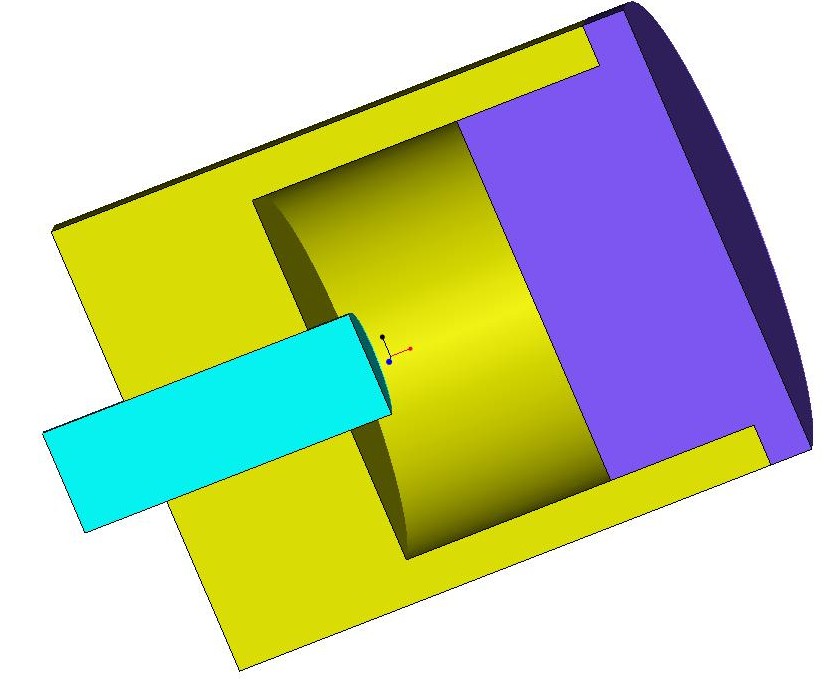

This thread is inactive and closed by the PTC Community Management Team. If you would like to provide a reply and re-open this thread, please notify the moderator and reference the thread. You may also use "Start a topic" button to ask a new question. Please be sure to include what version of the PTC product you are using so another community member knowledgeable about your version may be able to assist.

2 replies

1-Visitor
June 30, 2010

Olivier,

There are fancy things you can do with Analysis Features to calculate volumes, but here is a "quick-and-dirty" method you might find useful.

Create a new part in your assembly called "Oil". Copy the inside surfaces from your assembly into that new part. Depending on whether or not you have the Advanced Assembly Extension (AAX) or not, you will or will not be able to use Publish and Copy Geometry features. If you don't have that capability, you can still select a surface in the assembly, Activate the part called "Oil", and copy the surface into the part. When you have all the surfaces you need, you can open the part "Oil", Merge the surfaces together, then Solidify them. Now you can do a mass properties calculation on the part "Oil". When not in use for calculation purposes, Suppress the part in the assembly, so that it is not fillling up the space and compromising the Mass Properties of the assembly as a whole. Good luck!

David

opavot1-VisitorAuthor
1-Visitor
July 1, 2010

Hello David

I use your method and it work perfectly , now is it possible to to the same thing but without creating a new part ?

Olivier

1-Visitor
July 1, 2010

Olivier

What is your problem with creating a new part? You can suppress it when you don't need it for calculations. You could even use a Family Table to give you the two versions. You really can't create a mass-bearing feature without it belonging to a part; you can create mass-removal features (e.g. holes and cuts) in an assembly, but not protrusions, etc. (An assembly is just a recipe for putting parts together; it has no place for independent mass to be stored).

If you really don't want the part in your assembly, another approach would be to create a copy of your assembly, add the necessary mass in the second assembly, and do a Cutout of the 2nd assembly with the 1st, leaving only the volume and mass of the oil chamber. If you take this approach you don't have to be as fussy about creating the additional mass; in other words it can overlap other parts (notably a movable piston, for example) because the system won't double the mass in the intersecting areas.

David

1-Visitor
April 28, 2014

The following article might be applicable in some scenarios.

https://www.ptc.com/appserver/cs/view/solution.jsp?n=CS30452&lang=en_US