
15-Moonstone
Apr 14, 2026 1:14 PM UTC
Question

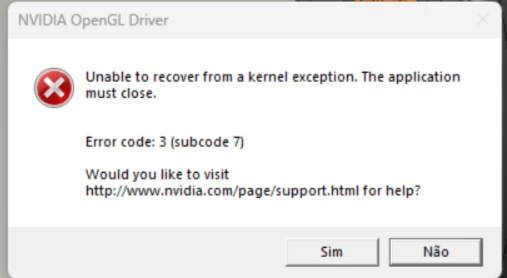
Erro NViVIA OPENGL DRIVE

I'm getting an error when running tasks in CREO: ERROR CODE:3 (SUBCODE7). I've already contacted NVIDIA; we've updated the driver, rolled back to older versions, and tweaked the graphics card settings, but the error keeps coming back. The card is a Quadro P400. 


23 replies

7-Bedrock
Nov 13, 2026 10:37 AM UTC

Hello,


I had solved the same issue in my compagny working with Creo 12 and Dell computers.

The issue is due to the modern video drivers are not certified by PTC and Nvidia continues to update the drivers but not against the compliance from PTC.

Here the process to solve the issue (Applicable to Creo 12 and Dell computers but can be adapted to other cases) :


  1. Write the computer model and the graphic card with the issue.
  2. Look the for the matching hardware to the pages below (Dell) keeping the order (stop until the config matches)
    1. Reference Documents Creo 12 : Compatibility page for Creo 12 : If the config is found, write the certified driver version. Else go to the next.
    2. Reference Documents Creo 11 : Compatibility page for Creo 12 : If the config is found, check in the last column it is written “Supported N+1” at least, write the certified driver version. Else go to the next.
    3. Reference Documents Creo 10 : Compatibility page for Creo 12 : If the config is found, check in the last column it is written “Supported N+2” at least, write the certified driver version. Else you have to change the computer :/
  3. Look for the compatible driver version in the NVIDIA RTX Driver Branch History for Windows page and download it.
  4. Install the legacy driver and tick the “New install” option during setup.
  5. Throught the Nvidia Control Panel, change the energy mode to “Performance” and voilà.

With this process all computers work well. You have to prevent the autoupdate is possible.

Fabien

Translate