1-Visitor
June 4, 2020
Solved

facing licence problem in Creo parametric 6.0.2.0
  • June 4, 2020
  • 1 reply
  • 18995 views

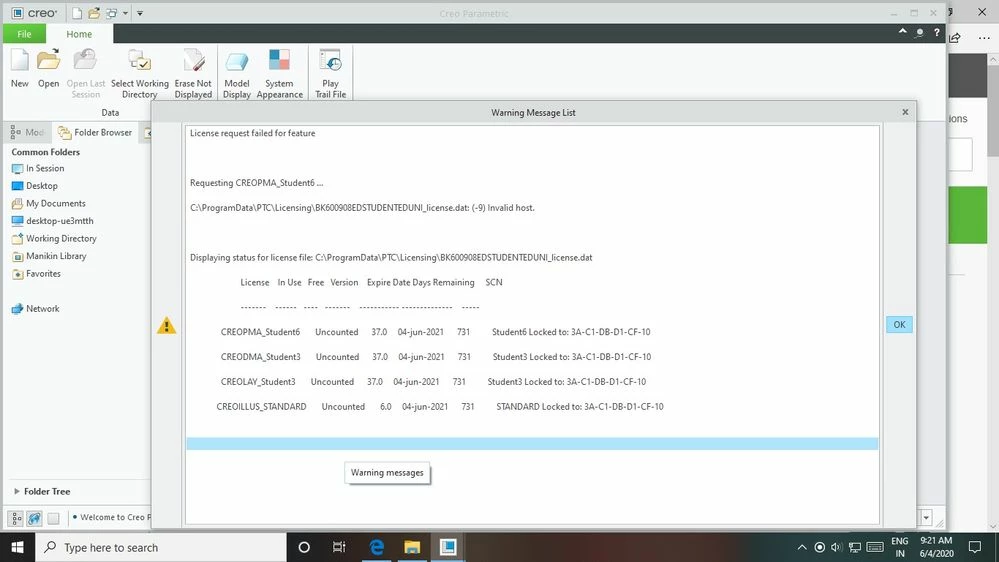
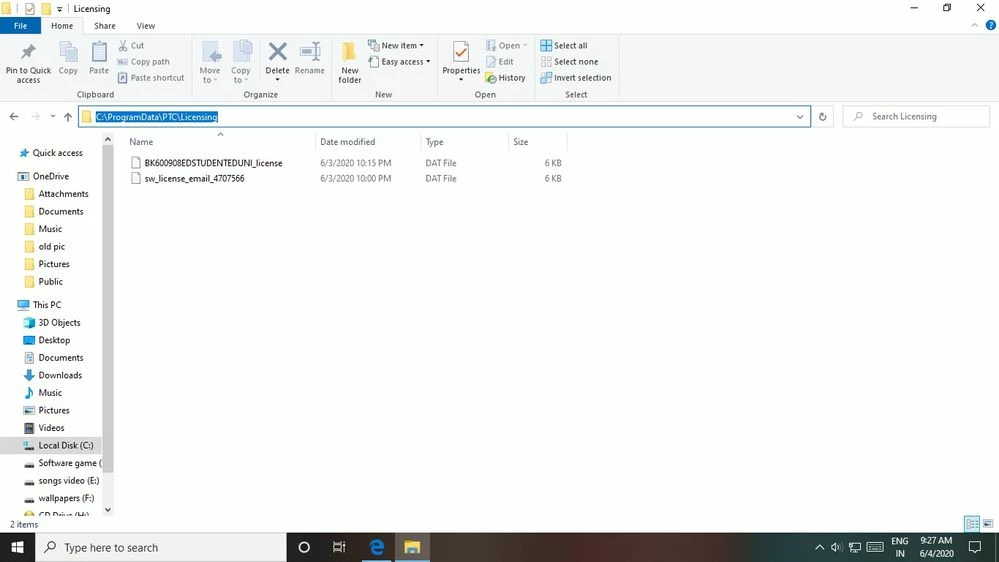
problem 2.jpgproblem.jpgi had installed student version of creo 6.0.2.0 after installing my license  successfully I got sw license file in email. I had pasted in C:\ProgramData\PTC\Licensing 


 while my internet connection is connected creo parametric application was opening with out warning message list but when i had disconnected my internet connection i was unable to open creo application it was showing warning message list. again i had connected my internet connection but it was not opening.


Best answer by LukaszMazur
To add to Martin's reply:
Since Creo "attaches" it's license to network card in the operating system, you must ensure that card is always visible in Windows,otherwise Creo won't start.
For example: if your WiFi card was active and license have been attached to WiFi card, you must ensure that WiFi card is always on, when you try to work with Creo.
I've seen cases where Windows turned off unused network cards (both Ethernet and WiFi) when there was no active connection on them, so you need to check it out.
It's not like Creo is trying to connect to some PTC's license server over the Internet, because there is no such thing. You simply need to have network card active in Windows for the license to work.

1 reply

24-Ruby III
June 4, 2020

Hi,

during installation you were connected to Internet via network card with physical address 3A-C1-DB-D1-CF-10. Creo installer detected this physical address and used it for license generation.

---

It look like physical address 3A-C1-DB-D1-CF-10 was assigned dynamically and does not exist anymore. Therefore Creo cannot find it and does not start.

---

To see network card physical addresses, you can open Command Prompt window and run ipconfig  /all command.

1-Visitor
June 4, 2020
What is the solution for this?
24-Ruby III
June 4, 2020

@abhishekprasad wrote:
What is the solution for this?

Hi,

I am sorry I can't provide simple solution, because I do not know, how you are connecting to Internet. Ask some experienced friend.

General advice - you have to configure your PC to connect to Internet via Ethernet or WiFi network card. These network cards have fixed physical addresses.