
1-Visitor
June 23, 2021
Solved

Family Table Column Sorting

  • June 23, 2021
  • 1 reply
  • 3676 views

Hello PTC Community


Hoping you can help me out with something that has been frustrating me. 

I created a family table today, organized the columns while the part was open, in the order I want. 

But once I was in the drawing, the fam.inst.param.name automatically sorts the column alphabetically. 

Is there any way around this? 


Thanks,

Josh
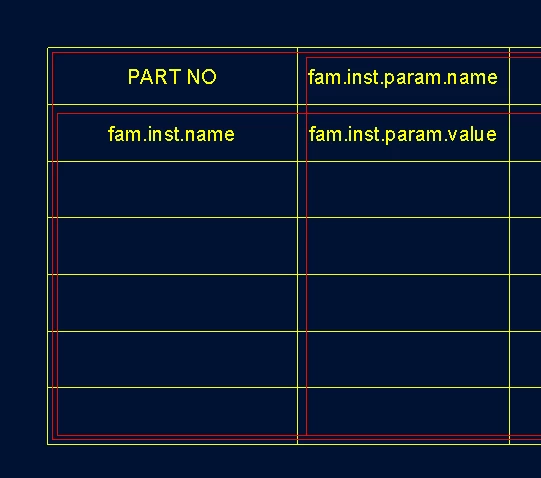
 

fam table.PNGfam table in part.PNGfam table alphabetically.PNG

Best answer by kdirth

Sounds like you have a sort filter in your table.


Try this:

  • In Table tab select Repeat Regions
  • Select Sort Regions
  • Select table body
  • Select Clear All
  • Select Yes
  • Select Done
  • Select Done

1 reply

kdirth
kdirth21-Topaz IAnswer
21-Topaz I
June 23, 2021

Sounds like you have a sort filter in your table.


Try this:

  • In Table tab select Repeat Regions
  • Select Sort Regions
  • Select table body
  • Select Clear All
  • Select Yes
  • Select Done
  • Select Done
There is always more to learn.
kdirth
21-Topaz I
June 23, 2021

Another possibility is after Selecting the table select No Default

There is always more to learn.
1-Visitor
June 23, 2021

Thank you kdirth!


I was following your first steps and could not clear all filters as there was none. 

But came across the no default and that worked! 


Do you know how to manage decimal points within the family table appearing on the drawing? It seems to default to 3 decimal points. 


Josh


