

Question
Fill Pattern Not Centered in Fill Region Sketch
I am trying to use the fill pattern feature in Creo Parametric 8.0. I am simply trying to create some small 3.0mm holes for vents for an electrical cover box. I have performed the following steps:
- I have created a rectangular sketch (used for the Fill Region/Grid)
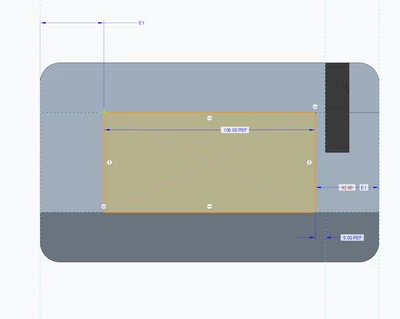
- created a hole using the extrude feature that is positioned on the same surface within the bounding box
- I have tried constraining to the center of rectangular sketch in "bullet point 1", but this doesn't make any difference in my end result
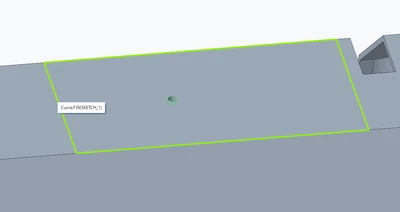
- I get a preview showing the features that will get patterned
- I click "OK" and the features are created very far out of the bounding box I created in "bullet point 1"
- I have tried creating the sketch within the pattern feature as well, with no luck
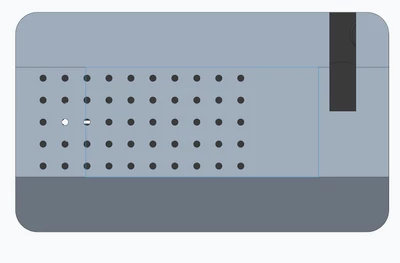
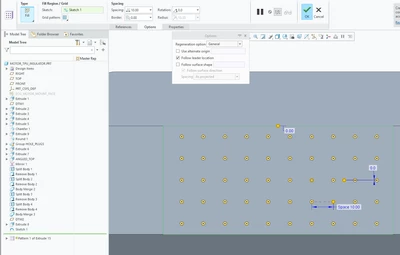
Every time I try this, using other shapes (hexagon's, squares, etc) as the feature shape, I never get the pattern actually made within the boundary box that Creo Parametric allows you to define.
Any idea what is happening here, or is this a bug others have seen as well???