6-Contributor
August 26, 2026
Question

Filter in Model Tree part by Rigid Body #

  • August 26, 2026
  • 5 replies
  • 108 views

Good morning everyone,
I'd like to filter all the items identified with the value “Rigid Body #” in the Model Tree.

thanks


5 replies

tbraxton
22-Sapphire II
August 26, 2026

This search query in the find tool will return all rigid bodies in a model.

Query to find all rigid bodies in a model


6-Contributor
August 27, 2026

Thanks for the reply but this query highlights them but doesn't select them.


tbraxton
22-Sapphire II
August 27, 2026

The find tool supports the selection of items in the same UI element. See this picture to understand how to make the selection of all rigid bodies in the model domain specified in the search tool. Note the selection status is indicated in the graphics window as well as the model tree as indicated by the highlighting of the rigid bodies.

Select items found in the search tool


6-Contributor
August 28, 2026

Maybe I didn't explain the problem well.
I need to be able to select Rigid Bodies, then isolate them and export them to a Simp Rep, to export them to other animation software.
Unfortunately CREO highlights them but does not actually select them, and I don't understand why.


tbraxton
22-Sapphire II
August 31, 2026

In light of your revised problem statement consider the following:

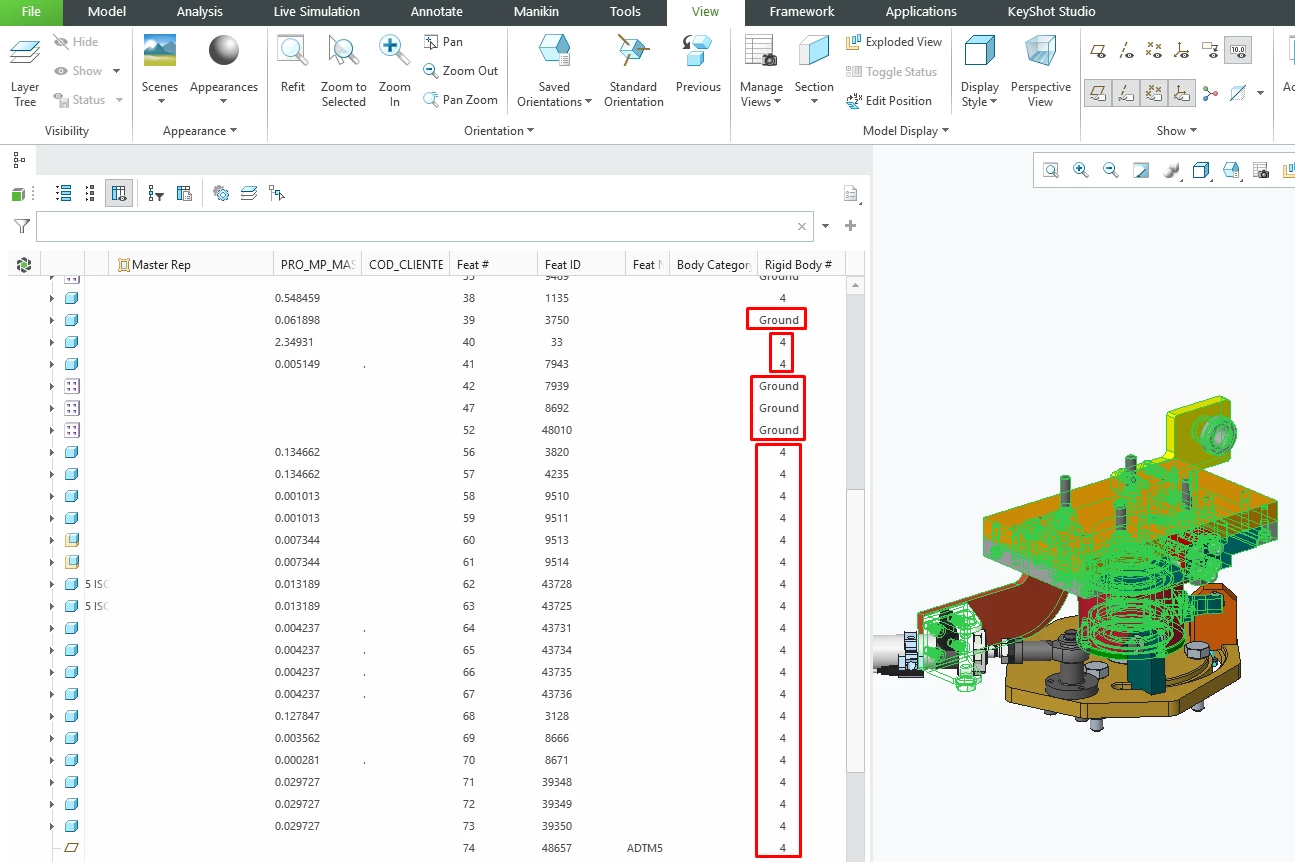
Rigid body is only an option within the search tool when in Creo mechanism mode. This is because a rigid body is a classification used in mechanism mode and not in part or assembly mode. Mechanism mode does not allow for the creation of simplified reps or exporting STEP files, for these operations you must be in assembly or part mode.

Off the top of my head this is the workflow that I came up with to support your goal. You can use the find tool to identify all of the rigid bodies in a mechanism while in mechanism mode. You can also see all of the bodies in the mechanism tree without using the search tool.  This will identify the assembly components that you would want to include in a simplified rep both in the search tool and the mechanism tree while in mechanism mode. You would then need to select all of the components comprising the rigid bodies to create a simplified rep. You can add these components to a layer while in mechanism mode where they are obvious in the mechanism tree and available for selection to be added to a layer. You then need to go to assembly mode to define the simplified rep (using your layer created previously) and then configure the model using the rep to export your desired components.
