
1-Visitor
August 22, 2022
Question

Find Coordinates of 2D cross section of 3D part

  • August 22, 2022
  • 1 reply
  • 1702 views

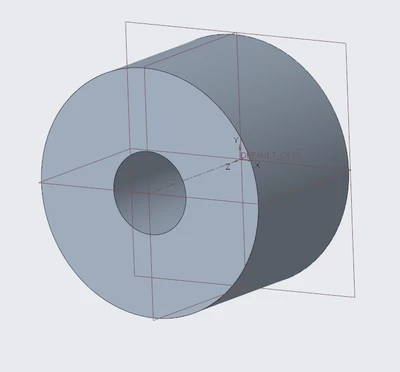
Hi everyone, I have some 3D parts (an image of one is attached) and I was wondering if I can export the coordinates of the points making up a 2D cross section of my shape at various Z lengths (because the shape is extruded in the Z direction). for example my extrusion in Z is 10mm and i would like to get the points that make up the perimeter at Z=5mm and Z=2mm. I hope this is clear, I intend to use this coordinates in matlab (a programming software)
AA_10386650_0-1661173894771.png


1 reply

tbraxton
22-Sapphire II
22-Sapphire II
August 22, 2022

Create planar sections at the desired Z values and export the section curves. 2D dxf format for the entities is probably the best option. You will then need an interpreter for MATLAB to read the DXF format.


In the model you generate the section curves by intersecting a plane at the z offset with the solid body of interest (Creo7+). If you are in an earlier Creo build you will need to intersect the solid part geometry when selecting during intersection.


 You can then export this closed curve using any csys in the model as an origin for the export.


Example of planar intersect feature (blue curve) with a solid body.

tbraxton_0-1661186383890.png


1-Visitor
August 23, 2022

Thank you @tbraxton, could you please aid me on how to export a section curve. Because when I created a section at the desired Z offset I can still see the extrusion up to Z and I cant see a 2D section like the one you have.

24-Ruby III
August 23, 2022

@AA_10386650 wrote:

Thank you @tbraxton, could you please aid me on how to export a section curve. Because when I created a section at the desired Z offset I can still see the extrusion up to Z and I cant see a 2D section like the one you have.


Hi,

I can only think of the following solution.

  • create new assembly
  • assemble your part to default position
  • create x-section in assembly
  • create curve from x-section
  • hide part (only curve is displayed)
  • create new drawing
  • place assembly view (set its display state as Wireframe, Hidden or No Hidden
  • export DXF from drawing