Find set datum tag - creo 4
I copied an existing drawing that already had an A and B datum that was defined in the drawing as "set datum tags". During the modeling, the attachment points (both shown dimensions in the drawing) were removed.
I go back to the drawing, I tried creating datums A and B as "set datum tags" and it tells me they already exist.
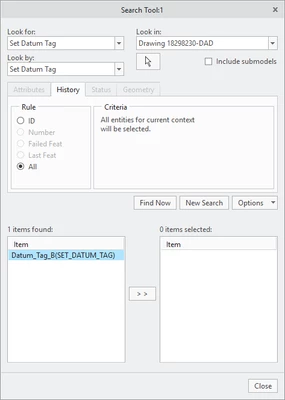
In the past, i have been successful finding stuff like this with the find tool. Not this time. I tried find in the drawing, every find option I could use. I tried in the model. No luck there.
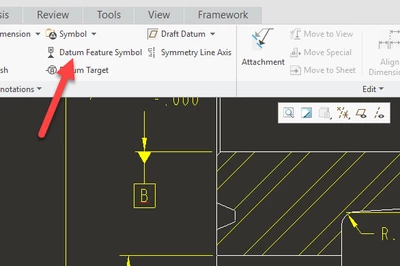
Just to be clear, these are drawing created set datum tags using the "datum feature symbol" from within the drawing. Little red underline on the B datum means it's a duplicate name.
The question is, how do I find a missing "set datum tag" within the drawing. I use the term "set datum tag" specifically because that is what it is called and what the find tool found when I created another that it did find in the drawing.