10-Marble
June 2, 2014
Solved

Flange problems

  • June 2, 2014
  • 5 replies
  • 4083 views

Hi,

I've been having flange problems in Creo Parametric 2.0.

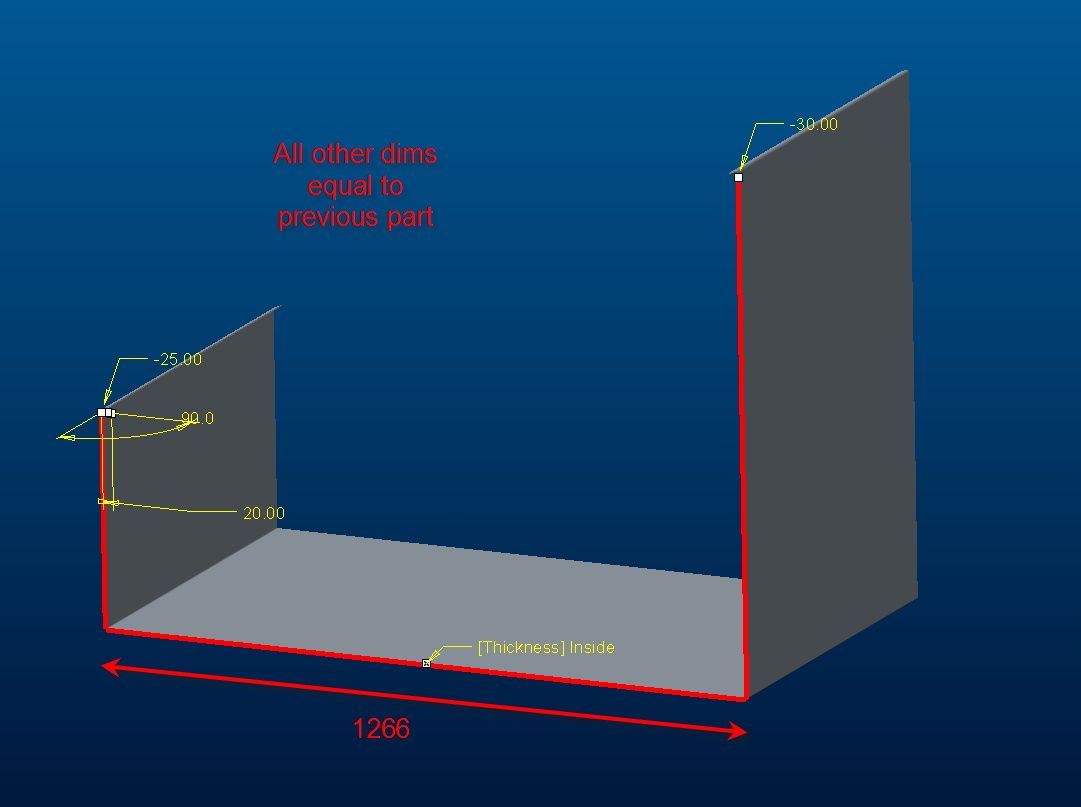
I've created a part where it works fine (see first pic).

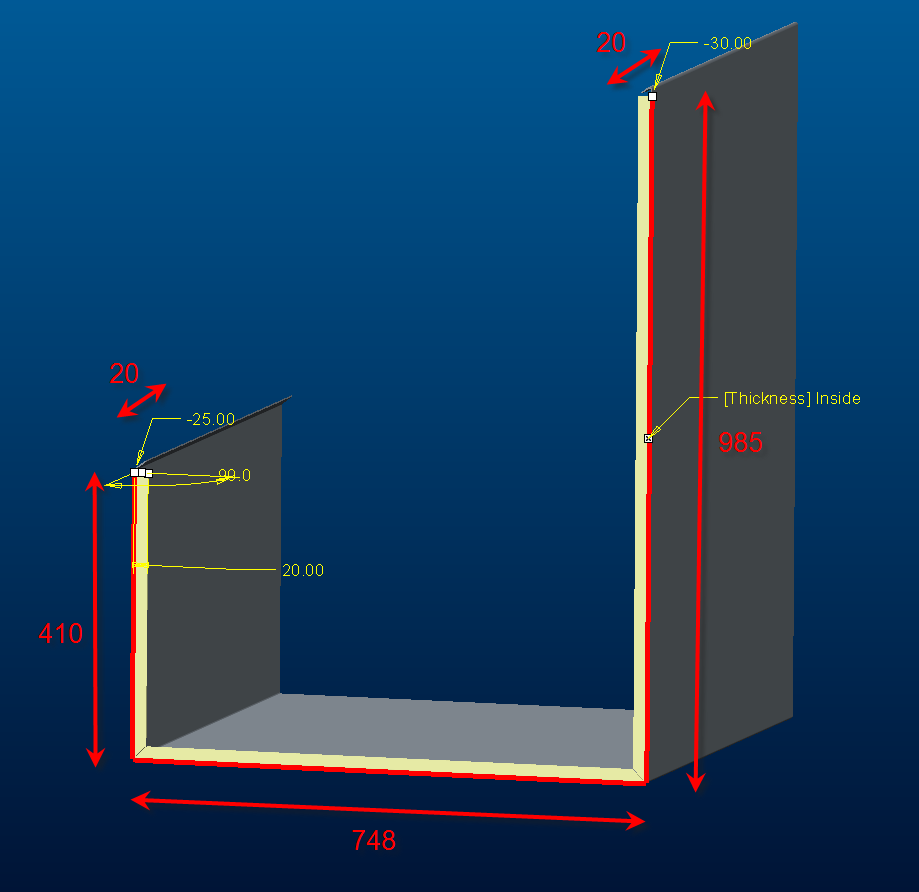
When I make an other but similar part (it's just longer at the base), my flange doesn't work anymore. This happens to a copy of the original part, but also when I create a brand new part and draw it from scratch. The flange does work however when I change the angle to 85° instead of 90°.

Any ideas?
flange1.png

flange2.png


This thread is inactive and closed by the PTC Community Management Team. If you would like to provide a reply and re-open this thread, please notify the moderator and reference the thread. You may also use "Start a topic" button to ask a new question. Please be sure to include what version of the PTC product you are using so another community member knowledgeable about your version may be able to assist.
Best answer by dschenken

Looks like an accuracy problem. If it's what I'm thinking, as the part gets larger, the relative accuracy makes the grittiness of the calculations larger, increasing the chances that small features fail.Try shifting to a smaller relative accuracy or to absolute accuracy.

5 replies

17-Peridot
June 2, 2014

I might suggest reporting this in a support case.

This is highly unusual.

dschenken1-VisitorAnswer
1-Visitor
June 3, 2014

Looks like an accuracy problem. If it's what I'm thinking, as the part gets larger, the relative accuracy makes the grittiness of the calculations larger, increasing the chances that small features fail.Try shifting to a smaller relative accuracy or to absolute accuracy.

1-Visitor
June 3, 2014

could you please try to modfiy the existing part by edit and put the value then regenerate? and let us know. If possible please share the file.

10-Marble
June 3, 2014

I've tried, but didn't help. See my reply below for how it went, and for the model.

10-Marble
June 3, 2014

You're way off in your attempt. I would like to upload my model, that way it will all be much clearer, but I don't know how. Never did it on this site.

10-Marble
June 3, 2014

Ok, thanks for the tip. I've added the part.

I've tried some more, and I've noticed I can change 748 to 1000-something. But changing it to 1100, the flange goes bust.

Also, it really needs to be 90°, not 85°. I don't know why it works with 85 and not with 90, doesn't seem very logical to me.

1-Visitor
June 3, 2014

Did changing part accuracy help?

10-Marble
June 4, 2014

Okay, thanks everyone for all the help. It does work when accuracy is set to relative 0.0001.

I've set David Schenken's answer as correct, as he was the first to mention accuracy as a solution.

Steven (and others), when I set accuracy to absolute, a value of 0.1375175 is suggested, just as you're showing. Isn't that a lot, or am I misinterpreting this value? Does this mean a hole of i.e. Ø16 could be Ø16.138 in the cut drawing?