

13-Aquamarine
August 3, 2021
Question

GD&T Advisor deletes all model notes (annotations)

  • August 3, 2021
  • 2 replies
  • 2858 views

We are in the early phases of model based enterprise. Our MBE template models have several built-in flat to screen notes. If we activate GD&T Advisor application it runs a "Unvalidated Annotations" check. The only way to preserve annotation is to choose Validate All". The second screen warns of a different tolerance standard and has Delete All or Don't Delete.


Even when choosing Don't Delete" GD&T Advisor deletes ALL model notes, including those that have nothing to do with dimensioning. Having an application strip out all of our MBE template annotations is clearly not useful.


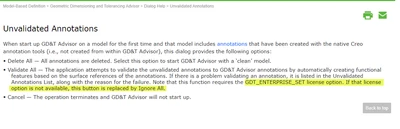
We have the GDT_ENTERPRISE_SET.  Is there a config option to turn this behavior off? Documentation states that without the GDT_ENTERPRISE_SET there would be an ignore button. What am I missing here?
 

mganzer2_0-1628021581797.png


2 replies

24-Ruby III
August 4, 2021

Hi,

please ask PTC Support.

16-Pearl
August 4, 2021

Hi @Mark_Ganzer 

It is really interesting for me to understand on which version of Creo you have received this behavior where flat to screen annotations were getting removed by GD&T Advisor. PTC and Sigmetrix have made already several fixes that will avoid from removing any user defined annotations or input, which are not recognized by GD&T Advisor. This is why the Creo version really matters here. I have tried this in Creo 7.0.3.0 as an example, and those flat to screen notes are not getting removed by GDTA


I would advise the following:

1. Please check the behavior in Creo 7.0, better yet with one of the recent MORs. this issue might be already resolved for you

2. If the issue is still occurring, please file a case with tech support of PTC. we will get this and investigate why those notes are getting removed. please provide the relevant data when submitting the case


As a side note, in Creo 8.0 we have made an improvement to the reporting of any mismatched annotations. this enhancement provides better visibility to the user about any updates that the software is about to updates, as well as, a control to the user to be able to decide which updates to skip.

Please watch this short video for more information:

https://www.youtube.com/watch?v=TWUjbA6r74U&list=PLzFpa6I9hCZW93OvK3d00KpOHLO2RJUCR&index=63


BTW - this enhancement was also backported to Creo 7.0.4.0


13-Aquamarine
August 4, 2021

Hi Michael,

It has done it in Creo 7.0.2.0, 7.0.3.0, and 8.0.0.0. They are not flat to screen, but are notes placed on a plane we have set up that is flat to screen in default orientation. These are notes too, not any dimensions. I will open a case and include our MBE start part.

Mark