1-Visitor
October 5, 2021
Solved

GD&T control frames looks bad

  • October 5, 2021
  • 2 replies
  • 1787 views

Hi all,

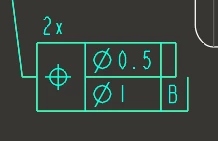
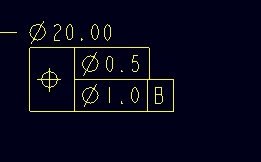
how can i get my composite control frames to look as intended? I am using Creo 7 professional.

I get this in the drawing but it looks fine in the model
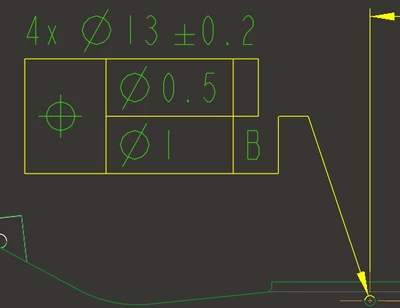
CreoCarlos_0-1633417118467.png

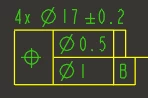
CreoCarlos_1-1633417156594.pngCreoCarlos_2-1633417168756.png


Best answer by manjunathrv

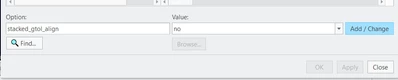
Add this detail option to the drawing and update the sheet.

stacked_gtol_align no

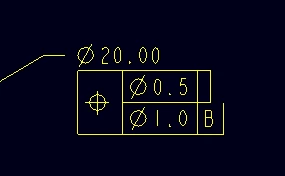
manjunathrv_0-1634830006796.png


manjunathrv_1-1634830084894.png

manjunathrv_2-1634830135646.png


2 replies

16-Pearl
October 18, 2021

You are posting in the wrong group.  This group is for Creo Elements\Direct Modeling and not parametric.


17-Peridot
October 21, 2021

Add this detail option to the drawing and update the sheet.

stacked_gtol_align no

manjunathrv_0-1634830006796.png


manjunathrv_1-1634830084894.png

manjunathrv_2-1634830135646.png


1-Visitor
October 22, 2021

Thank you, this was exactly what i was looking for !