1-Visitor
March 25, 2025
Solved

HALF DIAMETER DIMENSION USING DRIVEN DIMENSION

  • March 25, 2025
  • 3 replies
  • 812 views

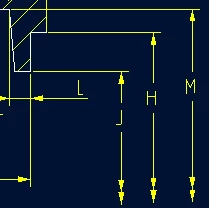
I am using CREO 10.  How do I change the dimensions (shown in red boxes) to be half (like the second example)?  I have looked in parameters, played with the bottom witness line, but past examples are not working.
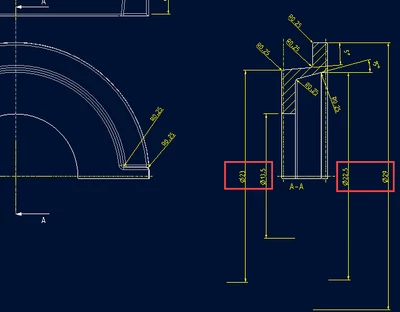
JW_10304501_0-1742914153087.png

JW_10304501_1-1742914173294.png


Best answer by pausob

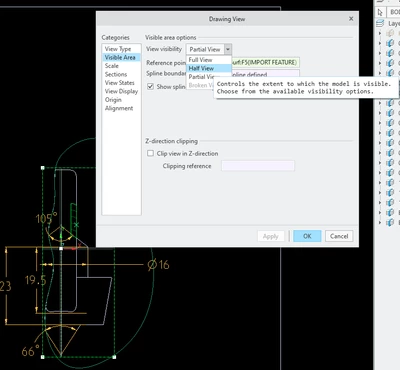
These double-arrow dimensions will show up if you turn your full view into a partial or half-view:

pausob_0-1742916482155.png


3 replies

pausob19-TanzaniteAnswer
19-Tanzanite
March 25, 2025

These double-arrow dimensions will show up if you turn your full view into a partial or half-view:

pausob_0-1742916482155.png


23-Emerald III
March 25, 2025

If it doesn't do it automatically, I usually RMB on the witness line and erase it

23-Emerald III
March 25, 2025

Also, if you make it a partial view and sketch a boundary, I think it will do it for you automatically.