
Dale_Rosema
23-Emerald III
May 9, 2023
Solved

Hatching Properties Creo 9.0.4.0

  • May 9, 2023
  • 3 replies
  • 3698 views

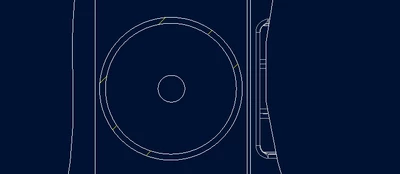
With the new UI, where did the hatch properties get placed?

I would just like to change the spacing and am puzzled where they hid this property.
Dale_Rosema_0-1683653118702.png


Best answer by Chris3

This might answer your question:

https://www.youtube.com/watch?v=ReqUS8c3dio 

3 replies

Chris3
Chris321-Topaz IAnswer
21-Topaz I
May 9, 2023

This might answer your question:

https://www.youtube.com/watch?v=ReqUS8c3dio 

Dale_Rosema
23-Emerald III
May 9, 2023

The video was nice, but in today's age, they should add chapters to the video so that it would be that much more beneficial.

Dale_Rosema
23-Emerald III
May 9, 2023

Converting old hatch patterns is referenced @3:35-3:55 in the video, so don't give up in the first minute.


StephenW
23-Emerald III
May 9, 2023

So is it an improved workflow or just change for the sake of change?

Dale_Rosema
23-Emerald III
May 9, 2023

For me it was just a nuisance, The hatching were so spaced out you couldn't really tell they were hatched.

Small company with not a lot of standard as far as this hatching for this material and that hatching for that material.


The shop just needs to understand what is being communicated with them.


I am sure that others may see it as a big improvement. For me, I just needed to know where and how to update it.  

StephenW
23-Emerald III
May 9, 2023

I don't know why I'm interested. I'm trying to live vicariously thru those who are closer to a modern release. We just rolled to Creo 6 about 6 months ago. We are likely not moving from that release for many years.
