1-Visitor
February 22, 2017
Question

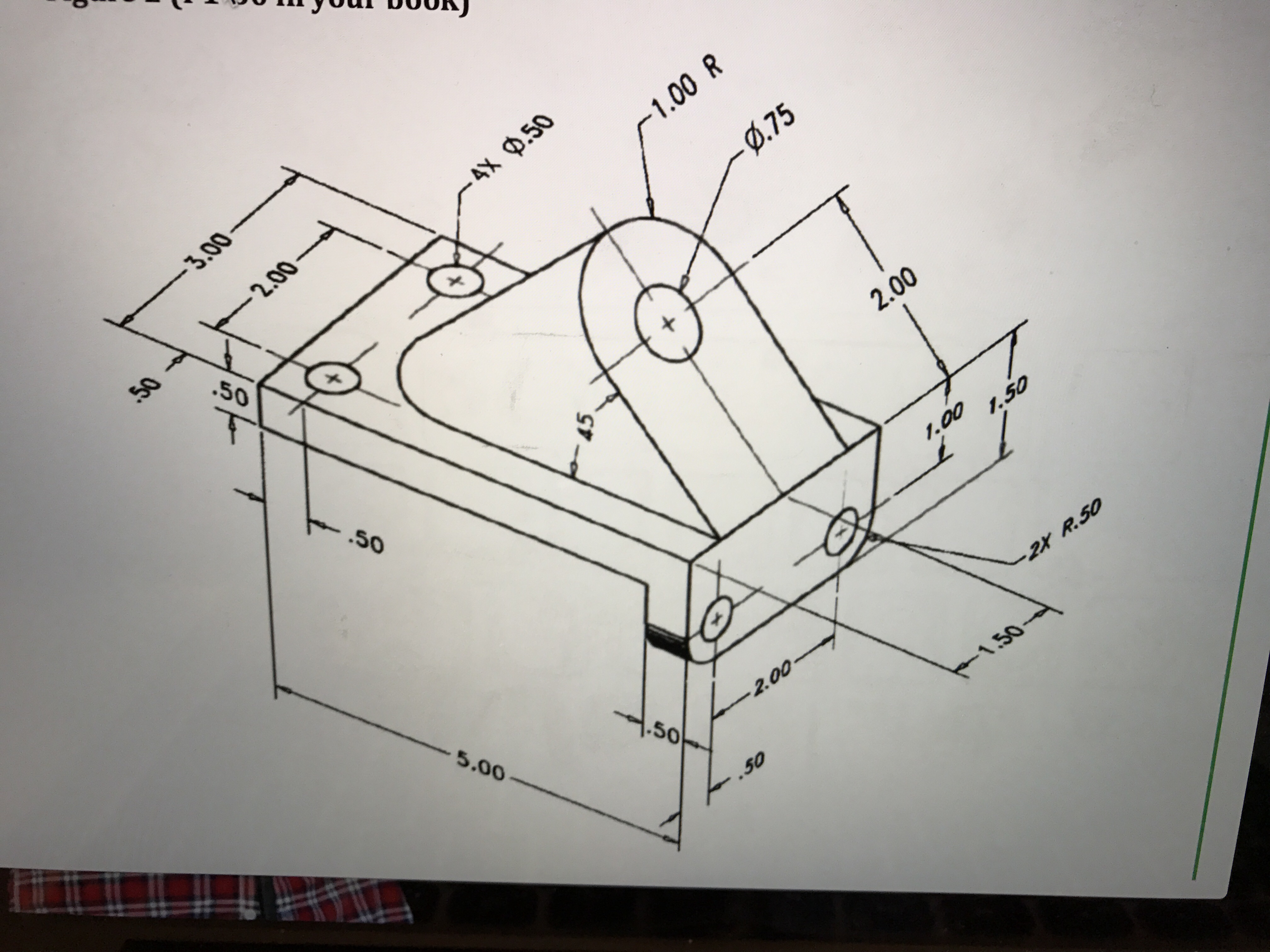
Hello I'm new to Creo and I'm trying to create the top arch feature in the figure. I made a triangle and I don't know how to dimension it.
  • February 22, 2017
  • 6 replies
  • 3464 views

image.jpg

im not sure what to do. If anyone can help, that would be greatly appreciate! Thank you.

6 replies

Dale_Rosema
23-Emerald IV
February 22, 2017

Are you running a student version?

You may want to attached some screen dumps of your history tree and where you are getting stuck.

If not, you can always attach the file for people to look at.

jviduya1-VisitorAuthor
1-Visitor
February 23, 2017

‌Yes. I am using the student version. Now I just need to make the arch extrude. Thank you!

18-Opal
February 22, 2017

Jessica,

If I understand correctly, you will need to make a datum plane at an angle of 45 degrees along the edge, specified in the image below.  Then use this datum plane as the sketching reference.

Amit

community.jpg

18-Opal
February 22, 2017

You should get something like this:

model.jpg

15-Moonstone
February 23, 2017

jessica.jpg

This might help.If you have drawn a triangle,just select the angular face for sketch as highlighted in the image and cut it up to the selected face as shown in image.

23-Emerald III
February 23, 2017

From the triangle, you could also radius the 2 back edges to get the round.