HELP: Offset command in Flexible Modelling
- 6 replies
- 1070 views
- Translate All
Hey folks,
I’m running into an issue with Flexible Modeling in Creo, and could really use your help.
Here’s the situation:
I have a plunger part model originally created in SolidWorks. When I import it into Creo, as expected, the feature tree from SolidWorks doesn’t come through — it simply shows up as an “imported geometry id.” That means I can’t directly edit the original features. So, my only practical option here is to use Flexible Modeling to make the necessary adjustments.
Now, here’s the problem:
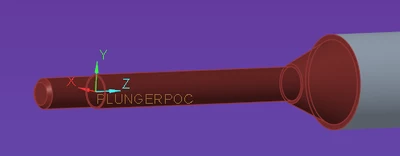
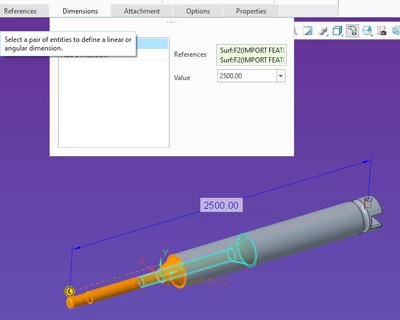
When I try to drag or offset the highlighted cylindrical feature (the main body of the plunger), it’s only extending along the conical surface. What I actually need is for the entire front body of the model to extend together with the cylindrical feature — essentially, I want the whole front section to shift forward as the cylinder grows.
I’ve attached screenshots and the Creo part file (.prt) for reference. Unfortunately, I couldn’t upload the original .sldprt file, so I’ve recreated the part in Creo.
This is a bit urgent, so any guidance on how to tackle this — whether it’s a different Flexible Modeling approach, or some workaround — would be massively appreciated.
Part Link: plungerpoc.prt
Many thanks in advance for your support.
Ciao,
Srikar