
1-Visitor
Jun 22, 2013 6:23 PM UTC
Question

Help with surfaces and curves

Hello. I am relatively new to Creo and I need help with my model.

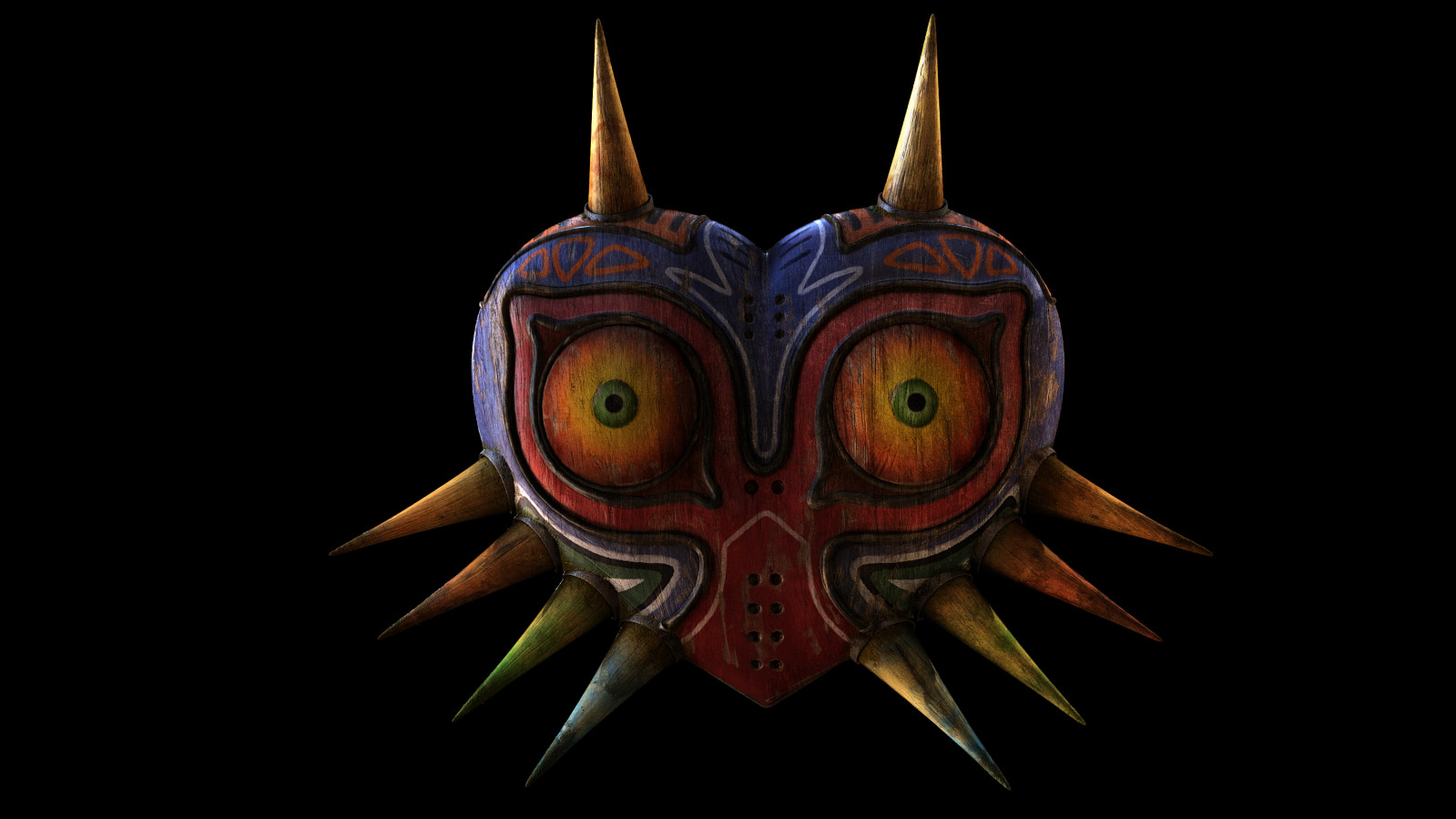
My projects is to make a CAD model of a masku that I want CNC cut and put up on my wall at home.

Here is a rendering of the mask:
zx8qa0.jpg

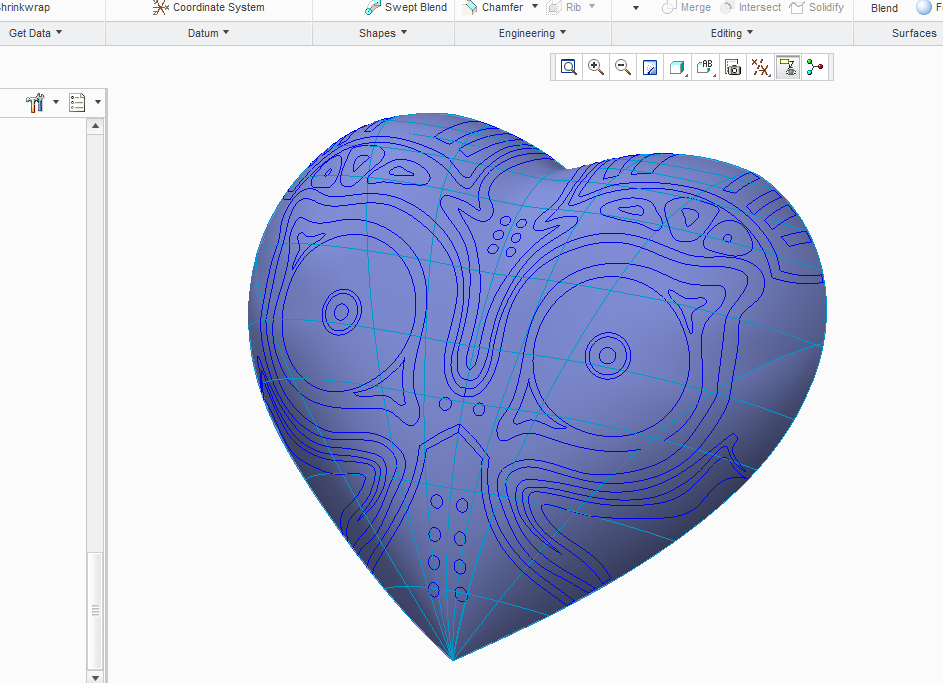
At the moment my model looks like this.
MMCAD.png

I have sketched some curves and made surfaces between them. Then I sketched the contours of the mask's eyes and lines, etc on a plane and projected them down on the surfaces.

My question is now; how do I get these contours, say the pupils, to have an offset/be above the main surface of the mask/ "higher" up? (I need these contour changes so the CNC machine can pick them up).

Thanks alot!

8 replies

1-Visitor
Jun 22, 2013 6:25 PM UTC

I am very sorry if this is not the right place for this kind of questions, but I couldnt find my way around the forum 😕

Translate
17-Peridot
Jun 22, 2013 6:42 PM UTC

This is the perfect place for these questions. It is just a little quiet around here on the weekends.

In short, you want to use the offset feature... but not generically...

Take a look at the offset command and use the button that depicts a drafted/lofted feature. This will allow you to change raise or lower a sketched feature on the quilt (combined surface) of your choice. It is very powerful when you start looking at the options, including projection direction, applied draft, and even radius' on the edges. It is primarily a "stamping" type tool and is perfect for your application. in fact, it will likely take place of all those sketches you extruded to the surface since it uses flat sketches which act on the surface. The key is selecting the right button in the dialog:

offset_on_faces.PNG

Would love to see what you come up with when you are done. Please share the process in a document or blog.

Translate
17-Peridot
Jun 22, 2013 6:48 PM UTC

...and if you want more controlled contours, of course you still have the trim and merge options. In that case, you will want to learn about variable section sweeps... or VSS. Another very powerful tool but requires a little research to make the most of it. A search for VSS in the forum will bring up a lot of information. This will be useful in joining some of the protrusion features to the surface.

Translate