
10-Marble
September 7, 2021
Question

Hide family table annotations

  • September 7, 2021
  • 1 reply
  • 955 views

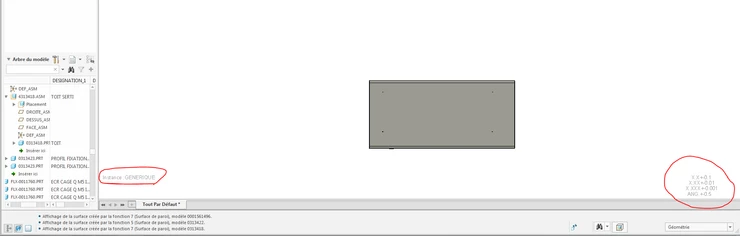
Hello, I am doing an image capture macro and the problem is that some part / assembly has 2 messages that I would like to make disappear "Instance: *****" and "x.x + 0.1 ... "(you will find the annotations on the photos I enclose).
 

MG_9638468_0-1631003620210.png

(It is not really about annotation because I cannot touch them, nor hide them with the button to hide annotations)

1 reply

KenFarley
21-Topaz II
September 7, 2021

I couldn't find anywhere to turn these things off, maybe because I don't know their names. What does work, though, is you can change the system color that is used for them. You get to this by

File->Options->System Appearance->Graphics

The one you want to change is "Secondary highlight", which has a default of the color you see. Change this to your background color and the text will still be there, but won't be visible. Hopefully this will be enough for you.