11-Garnet
September 30, 2025
Solved

.HOL File question and default callout

  • September 30, 2025
  • 2 replies
  • 1138 views

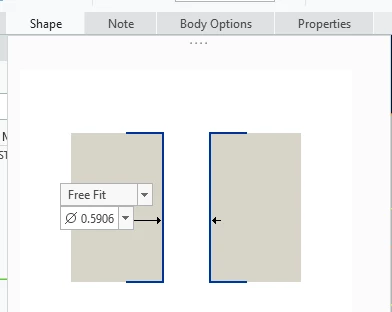
When we originally did our .Hol files over a decade ago we decided it wasn't possible to call out both FREE and CLOSE in the callout formats.  The Hole note on the drawing could only be shown as a Free(what we set it as).


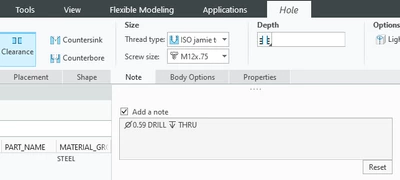
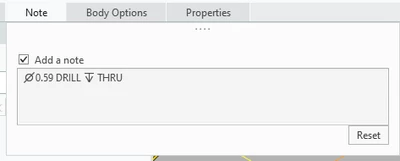
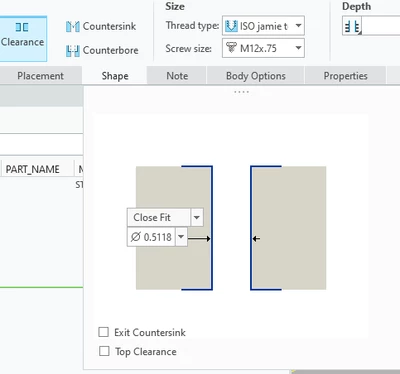
Is that still the case?  When i add in CLOSE to the matrix/table it still just only gives me a Free callout and not the Close when Close is the value set in the model


Thanks!


DEFAULT_CALLOUT_FORMAT_DATA
HOLE_TYPE THREAD DRILLED_DEPTH THREAD_DEPTH CSINK CBORE EXIT_CSINK CALLOUT_FORMAT
CLEARANCE NO THRU_ALL NA NO NO NO &HOLE_INSTANCE_COUNT&HOLE_INSTANCE_X_SYMBOL <CTRL-a>n<CTRL-b>&FREE_DEC[.2] DRILL <CTRL-A>x<CTRL-B> &DRILL_DEPTH

CLEARANCE NO THRU_ALL NA NO NO NO &HOLE_INSTANCE_COUNT&HOLE_INSTANCE_X_SYMBOL <CTRL-a>n<CTRL-b>&CLOSE_DEC[.2] DRILL <CTRL-A>x<CTRL-B> &DRILL_DEPTH
jchance_1-1759245485821.png


jchance_0-1759245473852.png

jchance_2-1759245508871.png

jchance_3-1759245520546.png


Best answer by MartinHanak

@jchance wrote:

PTC said there's a bug in the system


jchance_0-1759779968150.png


Hi,

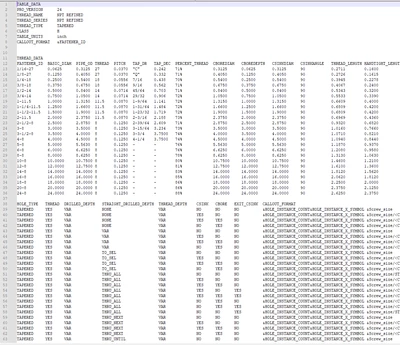
trail file contains following information (I renamed NPT-JAMIE.hol to NPT_REFINED.hol]

!%CILoading Hole Charts ... 
!%CWFormat error in fastener input file : E:\PTC\Creo10_060\Creo 10.0.6.0\Common Files\text\hole\NPT_REFINED.hol at line no: 38

This means that Creo does not accept bottom part of .hol file, i.e. CALLOUT FORMAT definition table.

I apologize that I do not have time to resolve your problem.

2 replies

jchance11-GarnetAuthor
11-Garnet
September 30, 2025

Going through the PTC Help some more...


i changed Free Dec/Close Dec/Etc to report &DIAMETER instead of &FREE_DEC.  Working through some other stuff, but i think i got a handle on some of this after not looking at it for a decade


DEFAULT_CALLOUT_FORMAT_DATA
HOLE_TYPE THREAD DRILLED_DEPTH THREAD_DEPTH CSINK CBORE EXIT_CSINK CALLOUT_FORMAT
CLEARANCE NO THRU_ALL NA NO NO NO &HOLE_INSTANCE_COUNT&HOLE_INSTANCE_X_SYMBOL <CTRL-a>n<CTRL-b>&DIAMETER[.2] DRILL <CTRL-A>x<CTRL-B> &DRILL_DEPTH
 

jchance11-GarnetAuthor
11-Garnet
October 1, 2025

Help from anyone:


Is there a way to have two different countersink diameters in the same .HOL file?


I model a countersink for every tapped hole i use and i have to manually adjust the diameter to the desired number. 


Do i have to have two different hole files to do that?  ie Tapped UNC and Clearance UNC?

jchance11-GarnetAuthor
11-Garnet
October 3, 2025

I created a custom NPT file.  I have it loaded into the directory that my other .HOL files are.  All of the straight drill .hol files are being read correctly, but the NPT .HOL file isn't being read.  I've renamed it to something different (thread series thread name) and I've also copied the same name as the commonfiles NPT file.  Neither is working.


Any ideas?

24-Ruby III
October 6, 2025

@jchance wrote:

I created a custom NPT file.  I have it loaded into the directory that my other .HOL files are.  All of the straight drill .hol files are being read correctly, but the NPT .HOL file isn't being read.  I've renamed it to something different (thread series thread name) and I've also copied the same name as the commonfiles NPT file.  Neither is working.


Any ideas?


Hi,

there is probably an error in your file. Please upload it.

jchance11-GarnetAuthor
11-Garnet
October 6, 2025

PTC said there's a bug in the system


jchance_0-1759779968150.png