

Hole patterns showing up in purple, any way to disable this?
Currently using Creo version 9.0.
I'm running into a situation where hole patterns show up in purple on drawings, even when things such as hidden quilts are checked off, and the display style is set to "no hidden". I've got an example below.
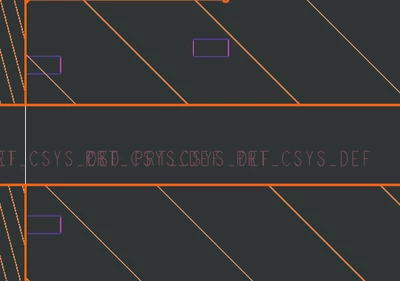
The strange thing is that these don't show up immediately; I will put the view into place in the drawing, save and close out my work. When I open the drawing the next work session, they show up out of nowhere.
I've verified that specifically, this occurs with patterns or mirrors of holes. The parent feature doesn't show up like this, only the child features. I can find them on the model tree and manually hide them, but for larger parts or assemblies this can be very tedious as it has to be done for each individual pattern on every part. These are particularly annoying because they show up when you export. Is there a setting to stop this from happening?