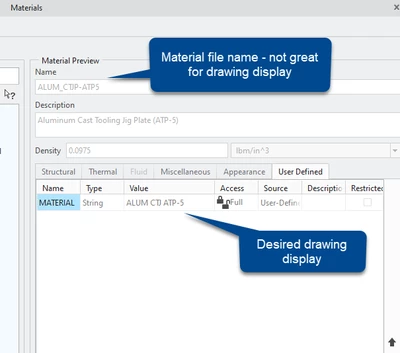
User defined parameters inside material files can be accessed on the drawing. We have a user defined parameter in our material files to control how our materials are listed on drawings because calling out the material file name is problematic. Here's an example of how we do that:
Drawings:
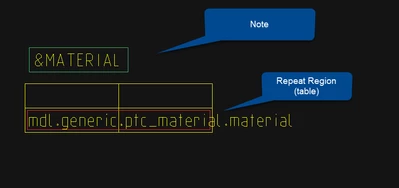
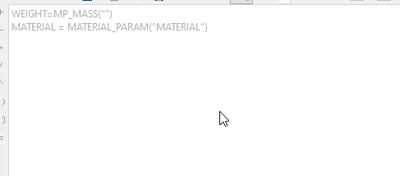
The note works because we set a parameter in the part equal to the user defined value in the material file using the relations below.
Depending on where the table displays (part or assembly drawing), you may need to use a different report parameter (asm.mbr.ptc.material.material, in my case for assembly BOMs.)
We put the following into the post regen relations in our start parts.
Here's a helpful community post - definitely check this out!
https://community.ptc.com/t5/3D-Part-Assembly-Design/Material-Parameters-within-a-note/td-p/376014
Here's an article that contains more info:
https://support.ptc.com/help/creo/creo_pma/r9.0/usascii/index.html#page/detail/notes_including_param_info.html

