
Solved
How can I make this dimension look like this?
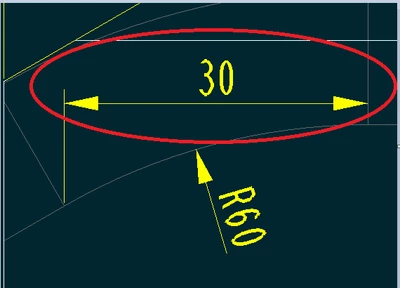
When I use the dimension option in the annotations tab the dimension end up been like this (in the red circle):
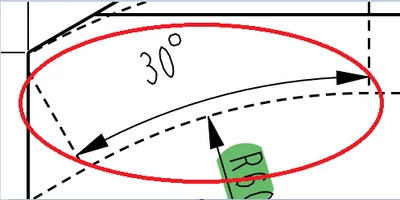
but I needed it to be like this (also in the red circle):
How can I do it?

When I use the dimension option in the annotations tab the dimension end up been like this (in the red circle):
but I needed it to be like this (also in the red circle):
How can I do it?
Enter your E-mail address. We'll send you an e-mail with instructions to reset your password.
