
14-Alexandrite
March 18, 2025
Question

How can selected datum point names be shown in a drawing, Creo 8, Parametrics

  • March 18, 2025
  • 2 replies
  • 595 views

Hi all

Is there a way to show the names of user selected datum points in drawing views?

Point Names coming from point cloud as these:
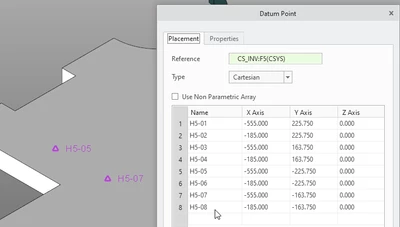
Pius_5-1742303902487.png

Can be listed in hole table like this:
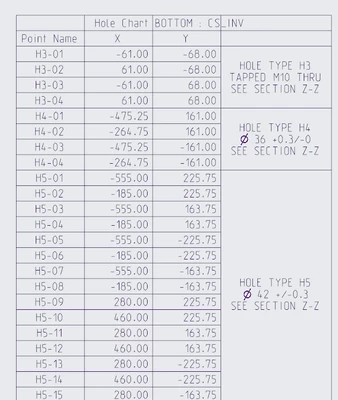
 

Pius_6-1742303971514.png

but should as well showing up on a drawing view unlike this, because here I cannot specify the location by my self and I can not deselect unused points.
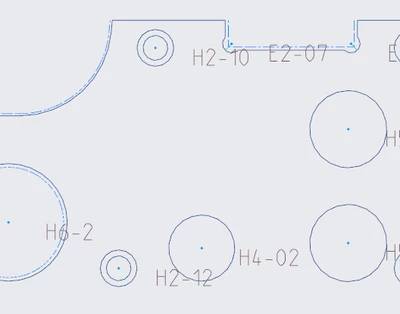
Pius_8-1742304302549.png

and I do not like to activate the option, becaus this is a user setting and the names need to be on the drawing all the times.
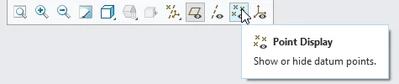
Pius_7-1742304018399.png


Does any body know a way to do it in a way that the names in the point cloud is linked to the name on the drawing view?

Many thanks in advance for your inputs.
Pius

2 replies

19-Tanzanite
March 19, 2025

Note that these tags can be collected on a layer:

pausob_0-1742423206432.png

Then the visibility of that layer can be controlled on the drawing views, etc.

However, I don't know of a way to define position of these tags on the drawing...


10-Marble
September 15, 2026

Hi,

I am using a mapkey which copies the name of the point to a note.

When selecting the point, the name is copied to the note and placed on the drawing. The note can be dragged to any position. After placing all the notes I hide the layer.

One disadvantage, this is plain text, so if the point name changes the note will not be updated.


Mapkey action

mapkey actions:
1- note with leader
2- user has to select datum point (do not use pick from list, only selection on screen is possible)
3- call script
script will copy the text from the message log and paste the data in leader note
mapkey will repeat, end mapkey with ESC button.


The script (created by AutoIT) is a keyboard sequence converted to .exe otherwise the copy paste is not working.