

1-Visitor
March 10, 2015
Solved

How do I disable the 3D drag option in modeling?

  • March 10, 2015
  • 2 replies
  • 1348 views

Do you know how to turn off the 3D drag option? We want to turn off the ability to drag the feature around to change the dimension. We would rather click on the dimension value and enter a number. I can’t find a config option that controls this. Thanks.
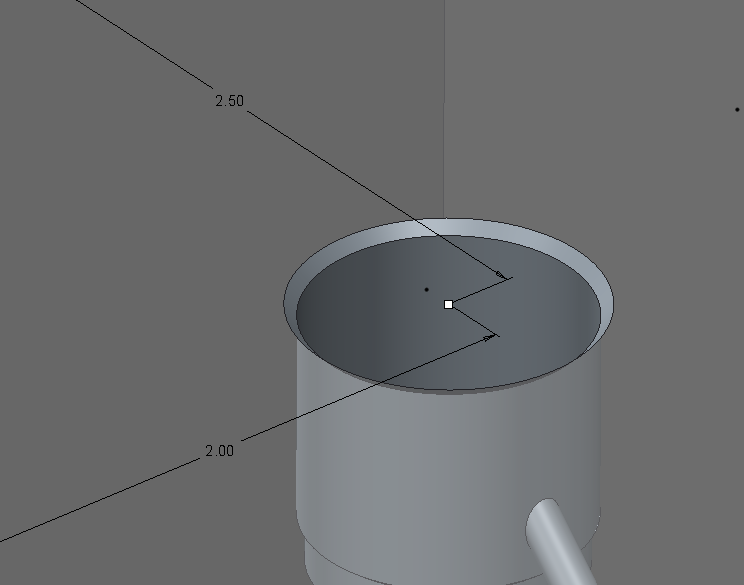
2015-03-10_1303.png


This thread is inactive and closed by the PTC Community Management Team. If you would like to provide a reply and re-open this thread, please notify the moderator and reference the thread. You may also use "Start a topic" button to ask a new question. Please be sure to include what version of the PTC product you are using so another community member knowledgeable about your version may be able to assist.
Best answer by psobejko

You can turn off the auto-regenerate behavior - look in the fly-out under the "Regenerate" button in the Model section of the ribbon. Or start typing in "auto regenerate" in the search bar..

There is also a config.pro setting to control it:

enable_auto_regen

yes*, no

Controls whether a model is automatically regenerated when you edit entities or dimensions in Edit mode.

yes—The model is automatically regenerated. (* the default behavior.)

no—You must manually regenerate the model after edits.

2 replies

psobejko1-VisitorAnswer
1-Visitor
March 10, 2015

You can turn off the auto-regenerate behavior - look in the fly-out under the "Regenerate" button in the Model section of the ribbon. Or start typing in "auto regenerate" in the search bar..

There is also a config.pro setting to control it:

enable_auto_regen

yes*, no

Controls whether a model is automatically regenerated when you edit entities or dimensions in Edit mode.

yes—The model is automatically regenerated. (* the default behavior.)

no—You must manually regenerate the model after edits.

1-Visitor
March 11, 2015

Paul, that was it! Thank you very much for the help.