

1-Visitor
October 30, 2015
Solved

how does one link orthotropic material properties to a custom coordinate system

  • October 30, 2015
  • 3 replies
  • 2562 views

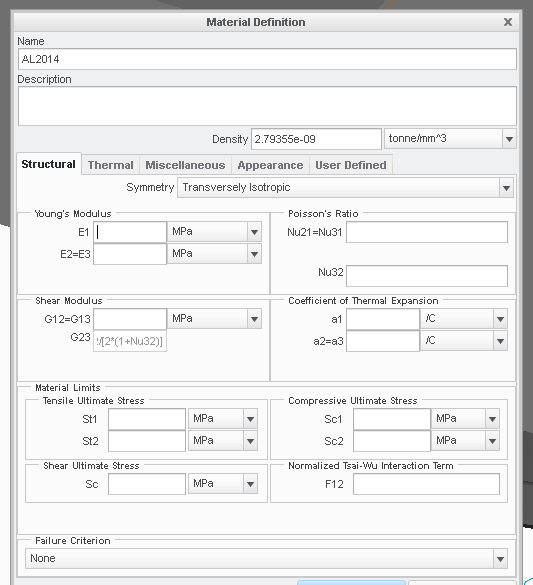
I would like to apply orthotropic material properties to a single part in my assembly model and have created a coordinate system for this component.   When I try to edit my material to apply orthotropic or transversely isotropic properties, I cannot find a way to link these to my component coordinate system.

Is there a way of doing this?

This thread is inactive and closed by the PTC Community Management Team. If you would like to provide a reply and re-open this thread, please notify the moderator and reference the thread. You may also use "Start a topic" button to ask a new question. Please be sure to include what version of the PTC product you are using so another community member knowledgeable about your version may be able to assist.
Best answer by dilgert

I just found that you apply the orientations in the material assignment.

That is the correct answer.

3 replies

15-Moonstone
October 30, 2015

Hello David,.

I did not fully understand your question, find you the values of AL 2014, as for example on the attached document.

Kind regards.

Denis

dilgert1-VisitorAuthor
1-Visitor
October 30, 2015

In the table above there are boxes for E1 and E2/E3.  How does one know which directions these properties are for?  If one wishes to have certain properties apply directionally to a local coordinate system which is different than the global coordinate system how does one do that?

dilgert1-VisitorAuthorAnswer
1-Visitor
October 30, 2015

I just found that you apply the orientations in the material assignment.

That is the correct answer.