How to Bend Geometry with Direction Control?
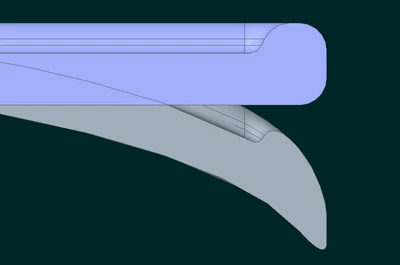
Please see the image. It is a side view of a part, with the sketch of the proposed bend. I need to bend just the end (above the sketch) so it follows the sketch (which I can do easily with a spinal bend), BUT I need to control the orientation so things that are vertical (as in this view) remain vertical when complete.
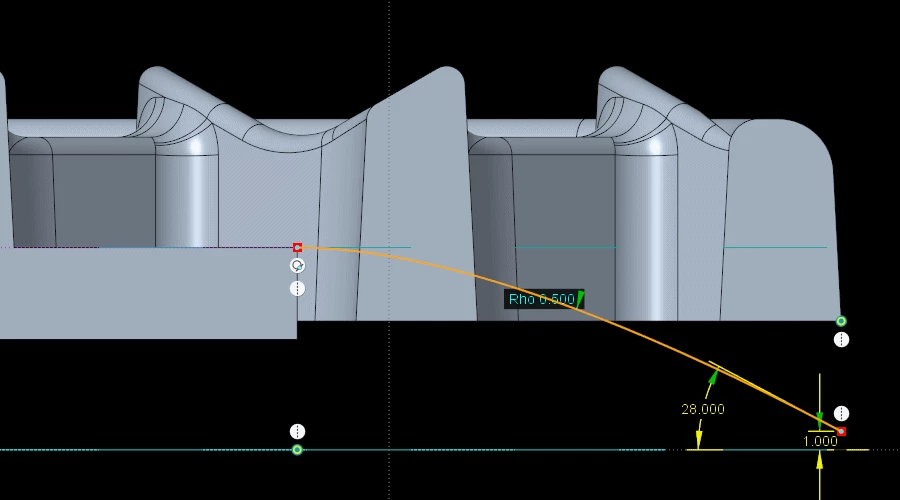 Geometry with the sketch to form.
Normally, with a Spinal Bend, the geometry follows the curve and makes the geometry "wrap" with the curve, meaning things that started vertical will be perpendicular to the spine (sketch shown above). I want the vertical things to stay vertical, but the shape to "droop" to follow the curve.
I don't remember for sure, but it seems like there used to be projection controls with a spinal bend to do this. (Not AREA controls.) I feel like I've done it in the past.
This part geometry is complex enough that I can't really create it in the correct shape. The part is quite deep (into the screen from the view above) with many features in this area. Most of the part is not seen in the image, and needs to remain "Flat".
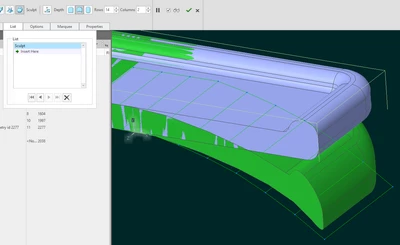
I copied all the surfaces, cut off the end, and bent the surface with a spinal bend. I tried all sorts of the area controls, but it's not area I'm trying to control, so that did not pan out. I looked at flipping the spinal bend vertical so I can squish this geometry vertically, which works, but it's all or nothing. I don't know how to vary the squish. This is Creo 9.
Does anyone know how to accomplish this task?