
10-Marble
May 11, 2021
Solved

How to change text font of annotation name of coordinate system in a LAYOUT/ notebook

  • May 11, 2021
  • 9 replies
  • 3651 views

Hello!


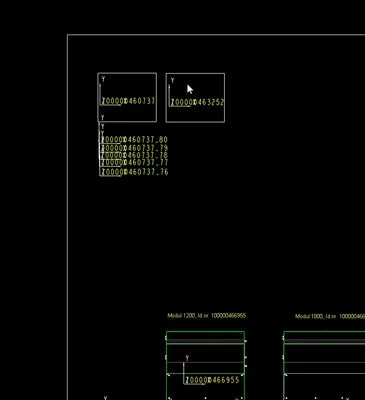
When I create a coordinate system in a layout (I use to place components automatically in the assembly), I can not change the text font and I can not change the name of the coordinate system.

This behavioral is present only by coordinate system.

Do you have some advices for me?


Thank you!
layout.jpg

Best answer by PI_6131154

OK! Nice! Thank you! For new notebook is working. Some ideas how to apply this to "old" one?

New created annotations are with the new font, but the existing annotations do not get the new font 😞

9 replies

24-Ruby III
May 12, 2021

@PI_6131154 wrote:

Hello!


When I create a coordinate system in a layout (I use to place components automatically in the assembly), I can not change the text font and I can not change the name of the coordinate system.

This behavioral is present only by coordinate system.

Do you have some advices for me?


Thank you!

layout.jpg


Hi,

1.] CSYS names can be changed in individual parts/assemblies.

2.] font of drawing test items can be set using drawing/detail option named default_annotation_font

See https://www.youtube.com/watch?v=K3uBj8ofe6M video starting at 5:30 time.

10-Marble
May 12, 2021

Hi! 


Thank you for the help. 

My question is according JUST in LAYOUT /now called Notebook/.


24-Ruby III
May 12, 2021

@PI_6131154 wrote:

Hi! 


Thank you for the help. 

My question is according JUST in LAYOUT /now called Notebook/.


Hi,

1.] I do no know how to rename CSYS created in Notebook/Layout ... please assk PTC Support.

2.] font of Notebook/Layout text items can be set using detail option named default_annotation_font

See https://www.youtube.com/watch?v=K3uBj8ofe6M video starting at 5:30 time for inspiration.