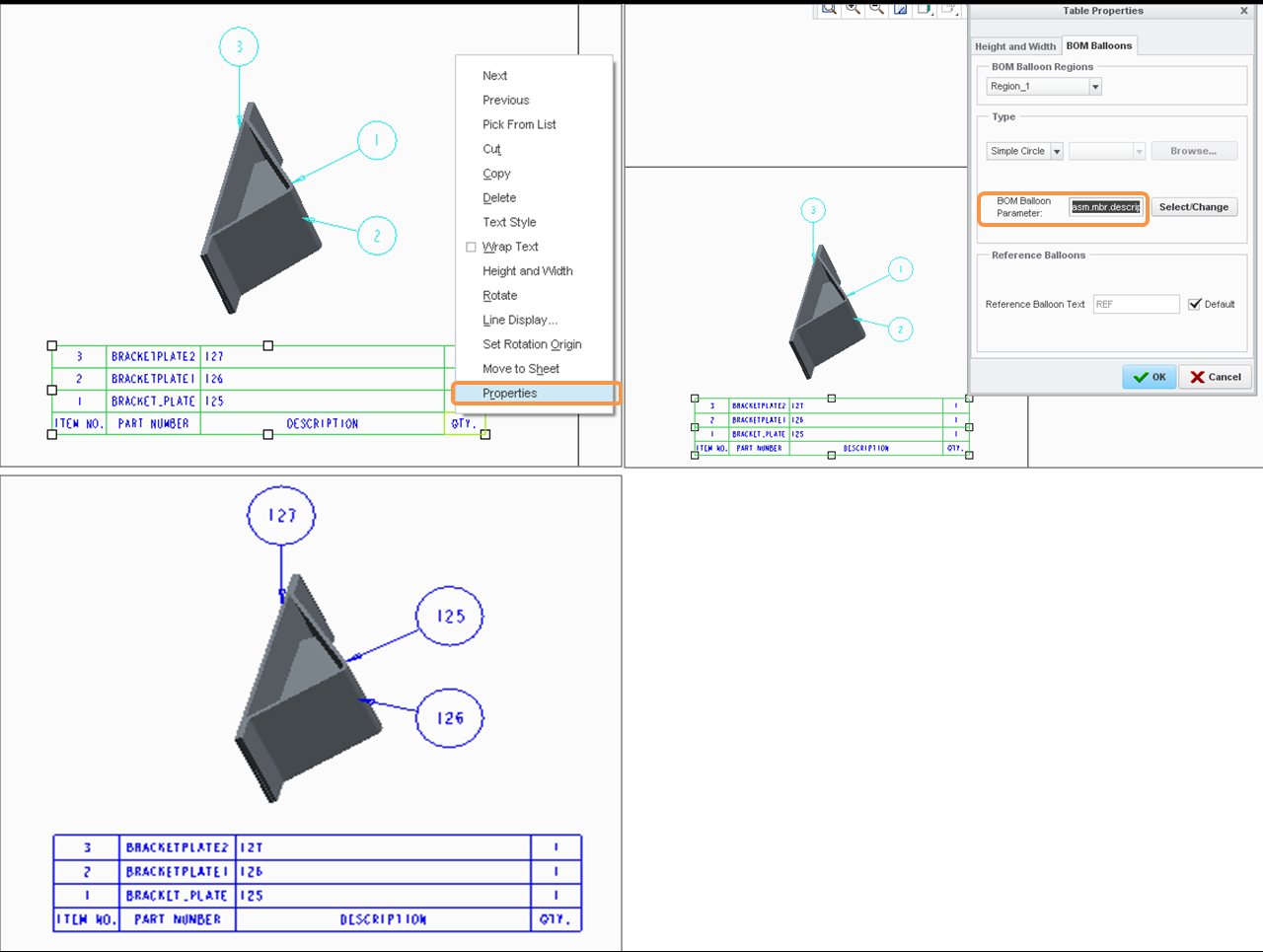
How to change the balloon into a report symbol value?
Hi all!
can anybody help me on query in detailing?
I was previously working with Pro/E wildfire 5.0. in widfire 5.0 after creating a table containing part_no parameter associated to the assembly member name.
default balloons created are coming with serial no. i.e 1,2,3,4,...... like wise.
but my problem is, I want balloons containing part_no which i have given to that parts. Previous wildfire 5.0 was able to do that by altering the parameter of balloon. option was given in menu manger it self
but now in Creo 2.0 there is no such menumanger option in balloon creation from table. so how can i overcome with the problem?
Can any body knows wat actually to do for the same with Creo 2.0?
is anybody facing the same problem?
pls mail me the solution on my mail id:- - or you can answer here in the discussion....
This thread is inactive and closed by the PTC Community Management Team. If you would like to provide a reply and re-open this thread, please notify the moderator and reference the thread. You may also use "Start a topic" button to ask a new question. Please be sure to include what version of the PTC product you are using so another community member knowledgeable about your version may be able to assist.