
15-Moonstone
December 18, 2023
Solved

How to control multi line text of an Annotation Note using Family Table Instance value?

  • December 18, 2023
  • 2 replies
  • 3339 views

Hi,

Having trouble adding an annotation note to a family table where the text assigned to the family table instance controls what's shown in the note for each instance, The instances are only displaying the note for the generic and when I modify the family table values they don't display in the model.
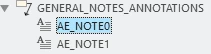
danders238_1-1702930364051.png

I want to have the general notes driven from the family table instances and the text in the image below be the values that are shown on the drawings.
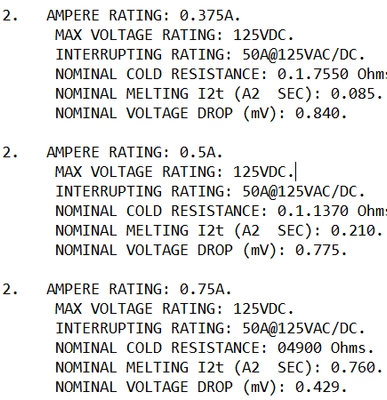
danders238_0-1702930066302.png

What's the proper way to add annotation unattached notes to a family table and have the ability to change the text displayed in the note based on what's assigned to the instance value?
Best answer by pausob

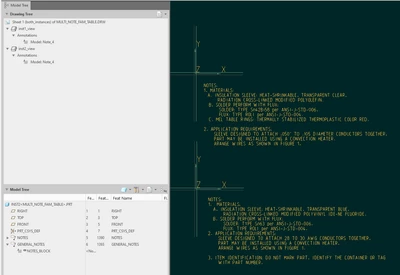
Ok, I created the toy example that shows how the "general notes" note will change depending on what instance is used:

pausob_2-1704856221298.png

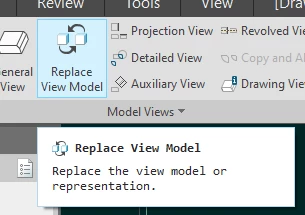
(try opening the drawing and use "replace view model" function in the layout tab to see this in action)

pausob_3-1704856289897.png


I have a feeling that you will look at this and do a lot of head-scratching and wonder - it works?, but there must be a better way? 🙂


2 replies

23-Emerald III
December 18, 2023

Off the top of my head, I would say this is not current functionality.


Do you want to put the notes on a drawing. or as MBD annotations?

If on a drawing, you could use a parameter as part of the line in a family table to trigger a Drawing Program change to your note.


15-Moonstone
December 18, 2023

Forgot to mention that I'm on Creo 8 Currently.

The multi line note currently a MBD annotation in the model that's shown in the model and on the drawing.


19-Tanzanite
December 18, 2023

You can do what you want to do by showing a note calling out a "Note" type of a parameter + relations that will assign the note ID of a specific annotation to the note parameter based on the text that is  assigned to another parameter (which will be varied in the family table).

Sounds complicated? 


So have you considered that instead of multiple notes, one of which is "chosen" for the instance, you can have a single note which calls out parameter values.  And then these parameters values are controlled in your family table.

I.e.: note text:


2. AMPERE RATING: &AMPERE_RATING
 MAX VOLTAGE RATING: &MAX_VOLTAGE_RATING
 ...


(&AMPERE_RATING, &MAX_VOLTAGE RATING.... are all STRING type parameters, and each would be a column in your family table)

pausob_1-1702940890455.png


15-Moonstone
January 4, 2024

Hi,

The above proposed solution won't work for my case as I have numbered notes that for some instance that won't be used for all instances.   Thus some parts will have 5 numbered notes and others may have 7 or more numbered notes.

I need a way to have predefined notes and swap them out using a family table kind of like you can for Pattern Tables.


Any other ideas?


Thanks,

Don A

15-Moonstone
January 5, 2024

Hi,
I think what you want to do is currently only possible with several annotation features, which brings along the issue of having multiple identical notes.