12-Amethyst
January 8, 2026
Question

How to create faces with multiple points

  • January 8, 2026
  • 4 replies
  • 176 views

Hello,


I have multiple points like this :
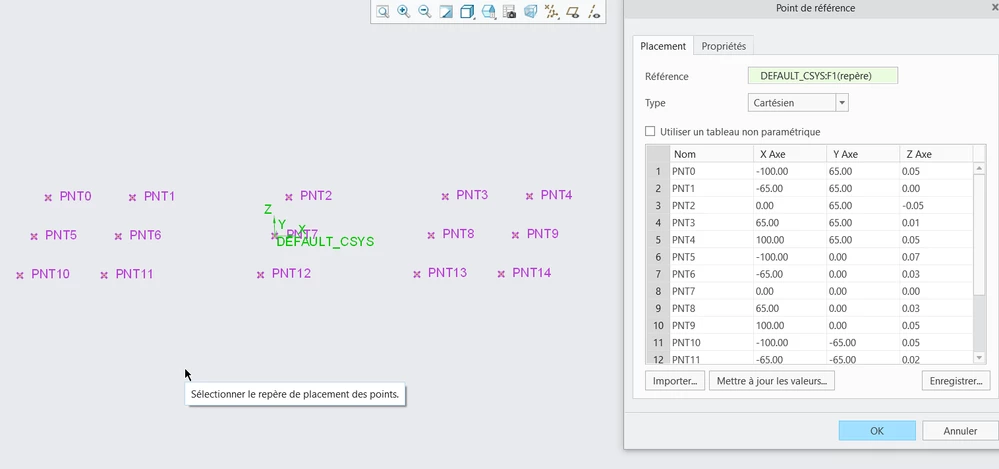
2026-01-08 07_58_43-PLAN_RECTIFIE (Actif) - Creo Parametric.png


And i would like to "visualise them" for a demonstration like this :
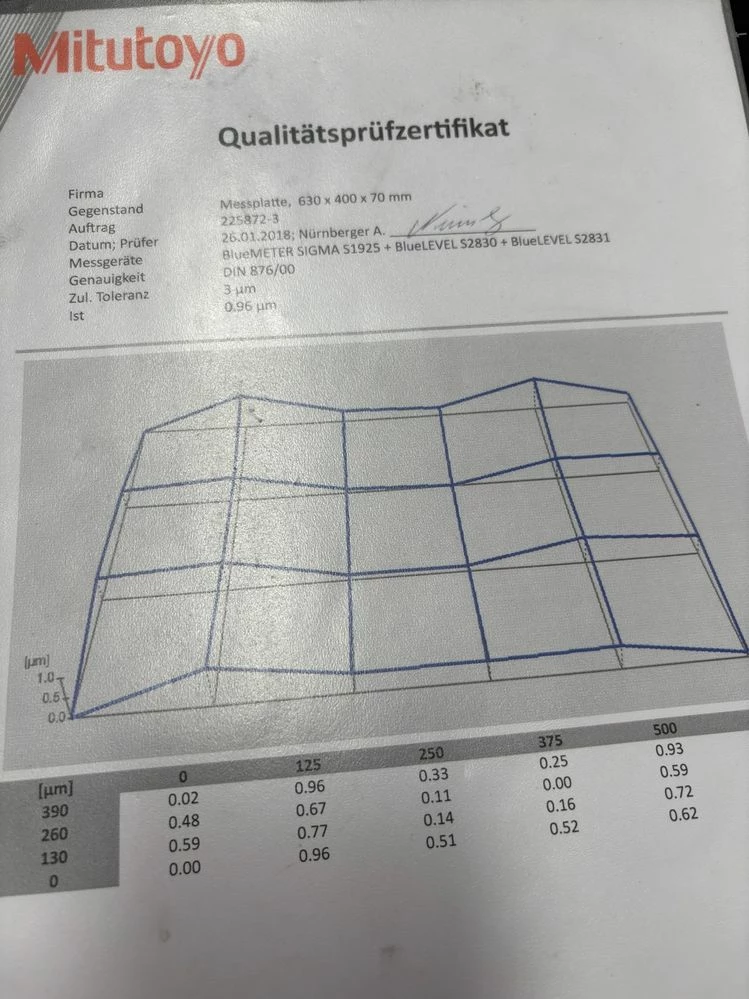
IMG_5676.JPEG


Is it possible ?


Thans in advance

4 replies

16-Pearl
January 8, 2026

One method would be to create straight curve through each point to form the grid. 


Then if you need surfaces use a boundary blend to create flats on each segment. A little time consuming but it should work. 

21-Topaz II
January 8, 2026

I had the same response to the problem that @Michael suggests. You might not even need the surfaces, if you're not going to be making any shaded images of the data. Besides, the four-sided surfaces won't really be very accurate as a representation of the "actual" surface you are measuring, will they?

If you've got lots and lots of points and the tedium is going to be too painful, you might want to look into external software that will turn this kind of data (a "point cloud") into facets. This kind of problem comes up a lot with topographical data, laser inspection systems, and the like.

If you're really ambitious, and the data is in a nice grid, you might be able to edit a copy of the points to build a suitable importable geometry file, like IGES or STEP, with the linear curves defined already. Or a program could be written to use the points to build the curves, etc.

22-Sapphire II
January 8, 2026

If you are not familiar with .ibl file format, look into that format to generate the curves from the points. When importing the .ibl format it will produce curves in Creo. Be advised that these curves are not native features so are not parametric features but it seems like this would not be an issue for your scenario.


How to import .ibl files.

https://www.ptc.com/en/support/article/CS107337 


This is an example of the .ibl file syntax. You can create them in a text editor using the points from your metrology report.

open
arclength
begin section ! 1
begin curve ! 1
26.863464 -2.096032 -55.440982
27.611816 -2.469005 -55.054364
28.349299 -2.919642 -54.667551
29.0738 -3.438288 -54.280775
29.783607 -4.01898 -53.894032

begin curve ! 2
27.974773 -1.50714 -57.813827
28.812795 -1.895805 -57.387444
29.639553 -2.375497 -56.960973
30.453114 -2.934557 -56.534517
31.250984 -3.565675 -56.108098

begin curve ! 3
29.074675 -0.807102 -60.186594
30.003839 -1.205555 -59.720587
30.922741 -1.709157 -59.254396
31.828693 -2.303736 -58.78826
32.718479 -2.980699 -58.322139

begin section ! 2
begin curve ! 1
31.12103 -0.960408 -64.973307
32.260648 -0.54903 -64.417619
33.395092 -0. -63.861816
34.518149 0.675293 -63.306028
35.624099 1.46987 -62.750309

begin curve ! 2
32.206292 -0.063792 -67.346098
33.415591 0.422518 -66.750731
34.614231 1.059682 -66.155232
35.795493 1.835699 -65.559769
36.952961 2.743089 -64.964366

begin curve ! 3
33.263284 0.950602 -69.718889
34.537777 1.519995 -69.083817
35,794,978 2,253,295 -68,448,647
37.027609 3.137952 -67.813536
38.228507 4.165964 -67.17842


This file creates 2 sets of curves, each with 3 curves. The values contained are the x,y,z coordinates


21-Topaz II
January 8, 2026

If I was trying to do this the tough part I would have to figure out would be how to pick out the points that need to be used to define a particular set of vertices. There will be repeats since a minimum of three vertices will be shared by adjacent "facets". It'd be a tricky thing to automate if that is the intention.

22-Sapphire II
January 8, 2026

@KenFarley  , not sure if you are asking about the relevance of the .ibl or making a general comment about how to automate the creation of surfaces to generate the "facets". It is not clear to me if surfaces are needed in Creo to solve the problem as presented.


Based on the photo of the report and the graphic shown there; The .ibl approach would use 10 curves defined in the file. The .ibl file does not define surfaces, only curves. Using 10 curves defined within the .ibl format can generate the same grid view shown in the photo. 

18-Opal
January 8, 2026

You canโ€™t create a surface through this 4 curves?
If the curves are line segments and not splines the surfaces would be created automatically as far I remember.

You have the same number of points for each curve, so this should be easy. This is what Michael mentioned!
