4-Participant
January 3, 2023
Solved

How to create half dimension line for a diameter in half section?

  • January 3, 2023
  • 2 replies
  • 4638 views

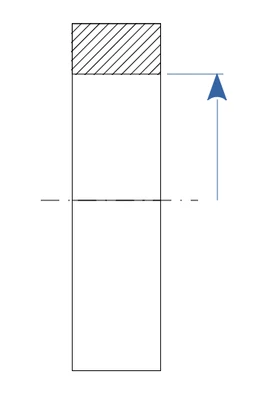
Hi, I'm making a drawing of a simple revolved part. It can be represented as one half section projection. However, I can't draw the dimension line for the diameter how I would like. 

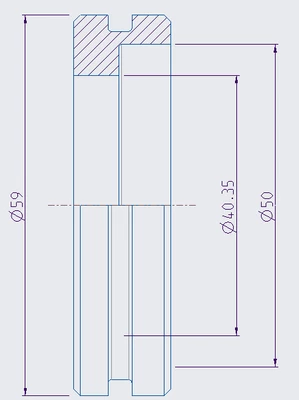
In the first picture is my drawing now. The second picture (simplified case) shows the standardized way of drawing dimension lines in half sections in Finland. So I would only want the upper part of the dimension line and no arrow in the bottom end
KK_10542983_0-1672737248956.png

KK_10542983_1-1672737657167.png


Best answer by StephenW

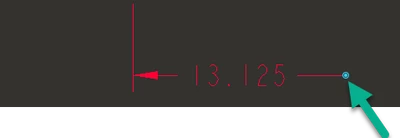
Select the dimension and you can move the end of the extension line anywhere you like.

StephenW_0-1672775603040.png


2 replies

23-Emerald III
January 3, 2023

Select the witness line you wish to remove, RMB Erase Witness line.

You can control the arrows (double/single/none) in the drawing setup using 

clip_dim_arrow_style

StephenW_0-1672758380311.png

StephenW_1-1672758400776.png


Kivi_Kn4-ParticipantAuthor
4-Participant
January 3, 2023

Yea but still the stem of the arrow (dimension line) will continue all the way down so that's not quite what I'm looking for

StephenW23-Emerald IIIAnswer
23-Emerald III
January 3, 2023

Select the dimension and you can move the end of the extension line anywhere you like.

StephenW_0-1672775603040.png


24-Ruby III
January 3, 2023

Hi,

In Creo 9.0 it is possible to create Half view - see following picture.

MartinHanak_0-1672770311036.png

I hope older Creo releases enable you to create this view, too.

To get requested result you have to create your view as two separate half views -OR- you have to overlay the full view with a half view.

Kivi_Kn4-ParticipantAuthor
4-Participant
January 3, 2023

I'm using Creo 6.0. After some trial and error I managed to do that. However, the solution from StephenW does not require messing with the half views. But thanks still!