How to locate Features and/or Components that create Circular Reference Loop ?
Hi everyone,
I am a user of CREO Parametric 12.4.0.0 Academic Edition.
I created a quite complex multi assembly model and, while regenerating it (Operations > Regenerate), I get this message saying that some reference loop has been created. :
1 CIRCULAR REFERENCE LOOPS FOUND
LOOP # 1
Depth of loop is 4
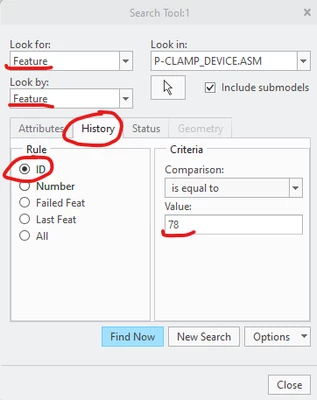
Feature number 26 (COMPONENT, id = 78)
in model ASM07-Z-PLAMA-HEAD refers to:
Feature number 7 (COMPONENT, id = 44)
in model ASM07-Z2-ASSEMBLY refers to:
Feature number 4 (COMPONENT, id = 40)
in model ASM07-Z2-ASSEMBLY refers to:
Feature number 26 (COMPONENT, id = 78)
in model ASM07-Z-PLAMA-HEAD - circle closed.
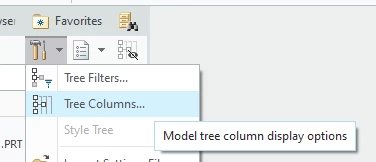
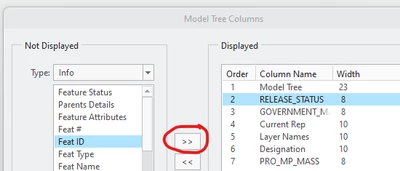
I understand what a Circular Reference Loop is, but I am not able to locate the features and/or components, based on the information given in the in the message.
So my question is : How can I highlight the components and feature that create this reference loop ?
Thank you for any help !
Yves