


Solved
How to redefine au subroutine
Hello all,
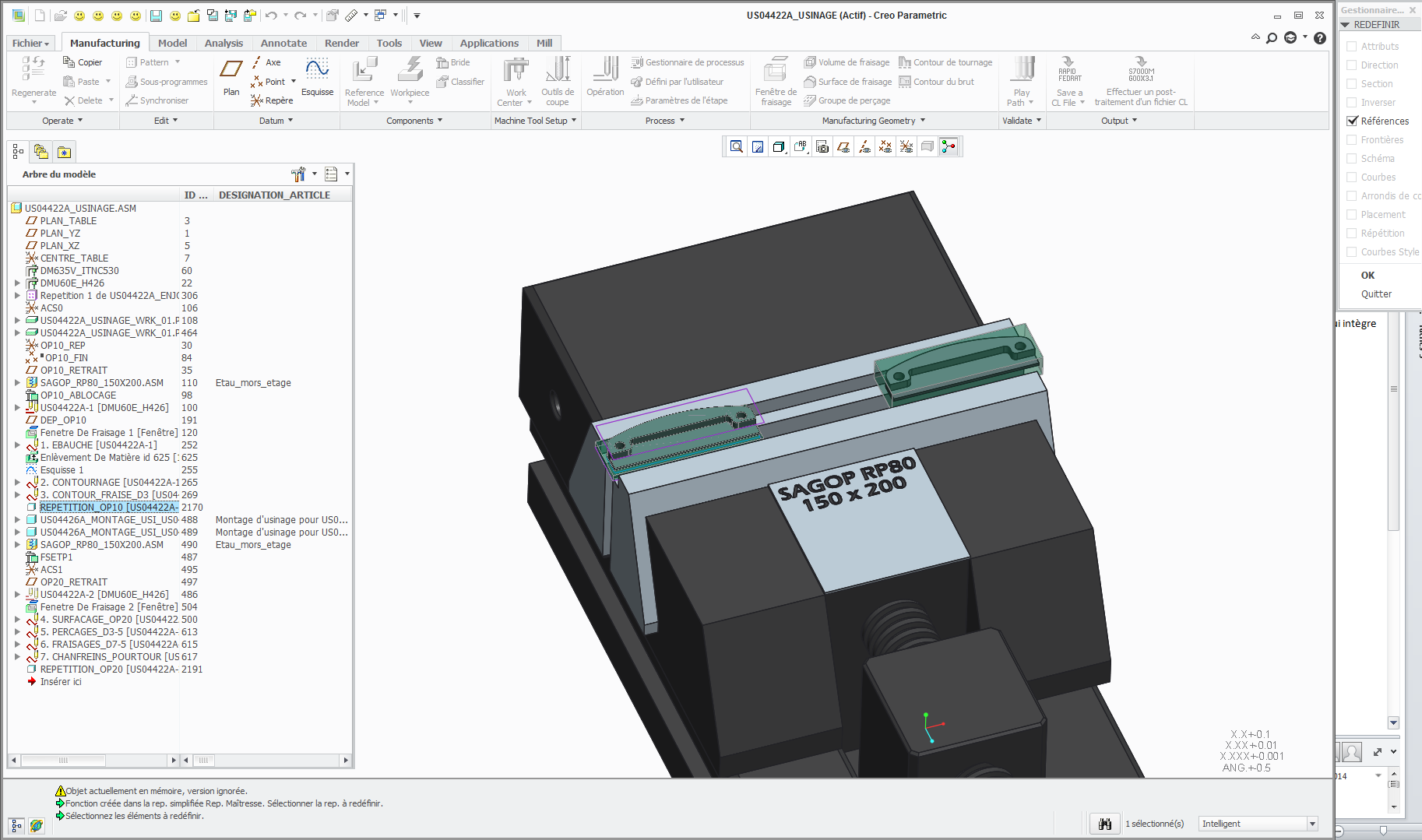
A simple question. I tried to redefine a subroutine I made in order to mill two parts. I wanted to mill 4 parts at a time. So I went on the subroutine icon in the tree and clicked redefined. But it only allows to redefine references. So I deleted this subroutine to make a new one with 4 parts. Is there a way to redefine instead of deleting and makine a new one ? Thanks. 
Here's a screenshot of the menu I get after clicking redefine.
This thread is inactive and closed by the PTC Community Management Team. If you would like to provide a reply and re-open this thread, please notify the moderator and reference the thread. You may also use "Start a topic" button to ask a new question. Please be sure to include what version of the PTC product you are using so another community member knowledgeable about your version may be able to assist.