1-Visitor
August 24, 2016
Solved

How to show bend note in flat view of drawing.

  • August 24, 2016
  • 1 reply
  • 13572 views

Hello. I am new to Creo and Ive been creating flat patterns using a family table. The bend notes do not show up even though they are turned on in options under sheet metal/bend notes display settings/show bend notes. The tangent bend lines show up however. How do I get the bend notes to show up? Thanks


This thread is inactive and closed by the PTC Community Management Team. If you would like to provide a reply and re-open this thread, please notify the moderator and reference the thread. You may also use "Start a topic" button to ask a new question. Please be sure to include what version of the PTC product you are using so another community member knowledgeable about your version may be able to assist.
Best answer by mbonka

Hello Kenneth Paiva

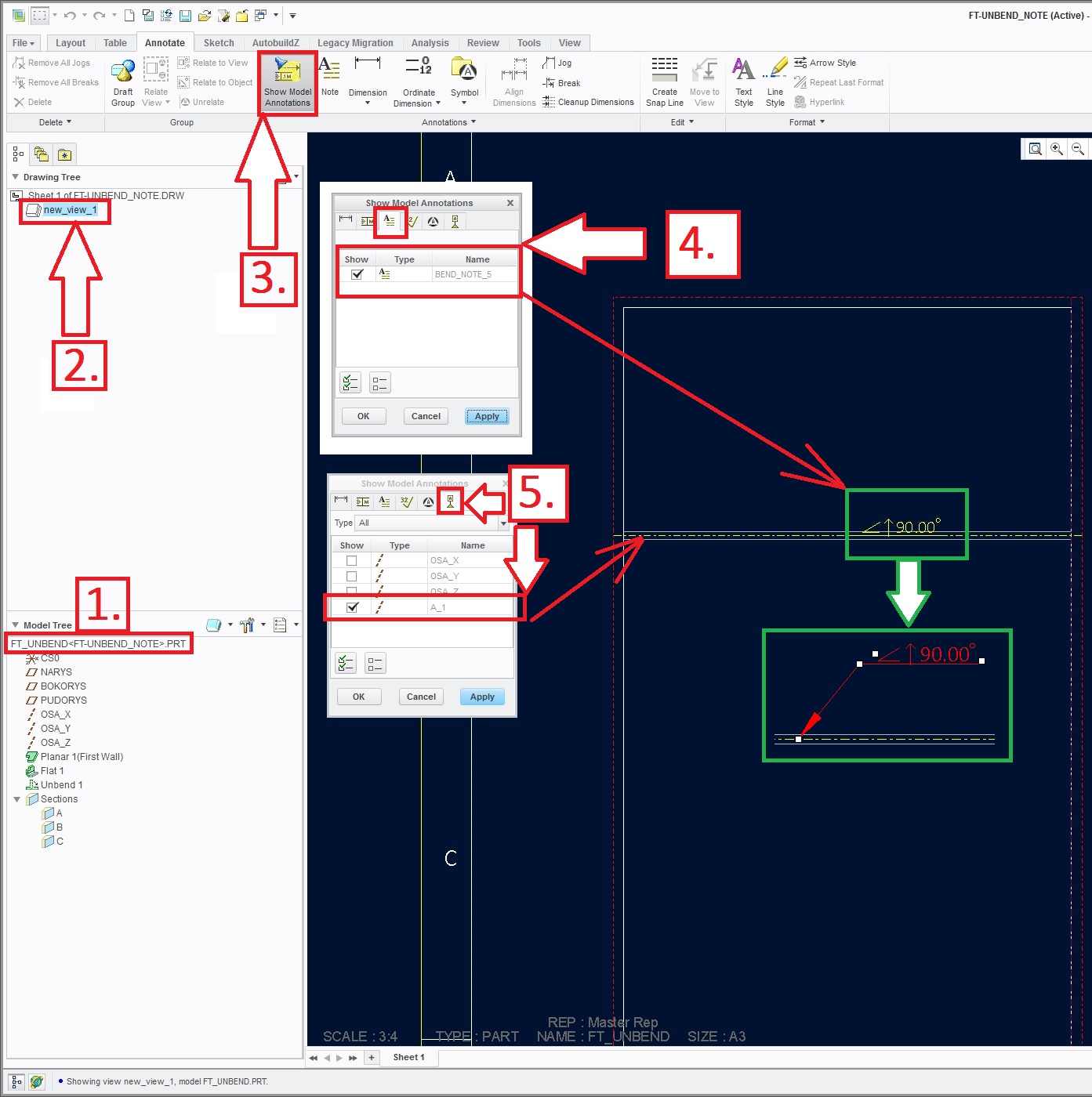
welcome to forum. See following picture and notes.

     1. set desired drawing model active

     2+3. show model annotations in desired drawing view

     4. show the model notes

     5. show bend axis

     6. GREEN color --- move your note als you wish (use mouse )

unbend_state-drawing_notes.jpg

---------------------------------------------------

Just a tip:

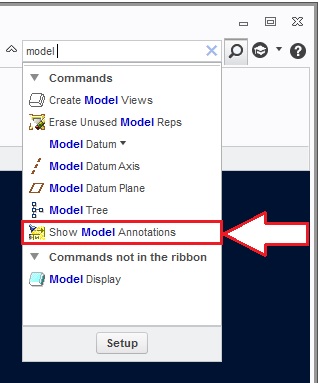
If you are looking for some functionality (icon) try following:

     1. right up COMMAND SEARCH

Creo-search_icon.jpg

Hope it can helps

Regards

Milan

1 reply

mbonka2-ExplorerAnswer
2-Explorer
August 25, 2016

Hello Kenneth Paiva

welcome to forum. See following picture and notes.

     1. set desired drawing model active

     2+3. show model annotations in desired drawing view

     4. show the model notes

     5. show bend axis

     6. GREEN color --- move your note als you wish (use mouse )

unbend_state-drawing_notes.jpg

---------------------------------------------------

Just a tip:

If you are looking for some functionality (icon) try following:

     1. right up COMMAND SEARCH

Creo-search_icon.jpg

Hope it can helps

Regards

Milan

kpaiva1-VisitorAuthor
1-Visitor
August 25, 2016

I had been in that area but didnt know what to click. That worked. Thank you.