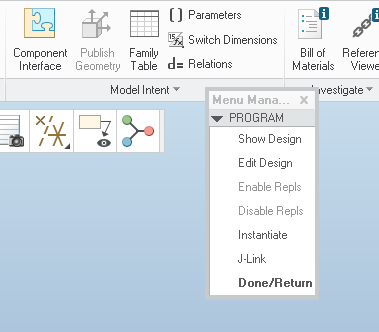
When a Pro Program is edited the information will come from the file the first time. The editor will create a copy of the file program as-is for backup purposes. After that it will ask "From Model' or From File." If the last time turned out poorly, then 'From File' is your best choice.
When a program is run:
Current Vals will run unaided;
Enter will show the choices to change and then prompt you to change the selected ones;
Read File will get the values from a file you select.
Any values in the program and not in the file are unchanged, any values in the file and not in the program are ignored.
Example file entries - one per line; case-sensitive THICKNESS = 2.5 INCLUDE_VALVE = YES MATERIAL = "STEEL"
Comments
/* < your comment Place the comment immediately after an ADD to keep its place with the feature.
Input
Types:
Number (default)
String
Yes_No.
Must exist between INPUT and END INPUT. Can use IF-ELSE-ENDIF
IF-ELSE-ENDIF
logical operations are >,<, ==; string literals are in quotes.
Component Replacement
Get the name of the replacement from INPUT or via RELATIONS
Change the ADD PART to ADD PART (replacement) for part to part exchange or Change the ADD COMPONENT(replacement) for part to subassy exchange. "COMPONENT" requires file extension, PART does not.
Relations
Must be between RELATIONS and END RELATIONS
XYZ = <parameter_name>:fid_<feature_name>:<comp_id> or XYZ = <parameter_name>:fid_<N>:<comp_id>